
Crew Data
|
|
| Callender of Business. |
Apple Watch |
||
| Previous | Top page | Next page |
| -------------------------------------------------------------------------- | ||
PAGE 1 job display Watch mode |
||
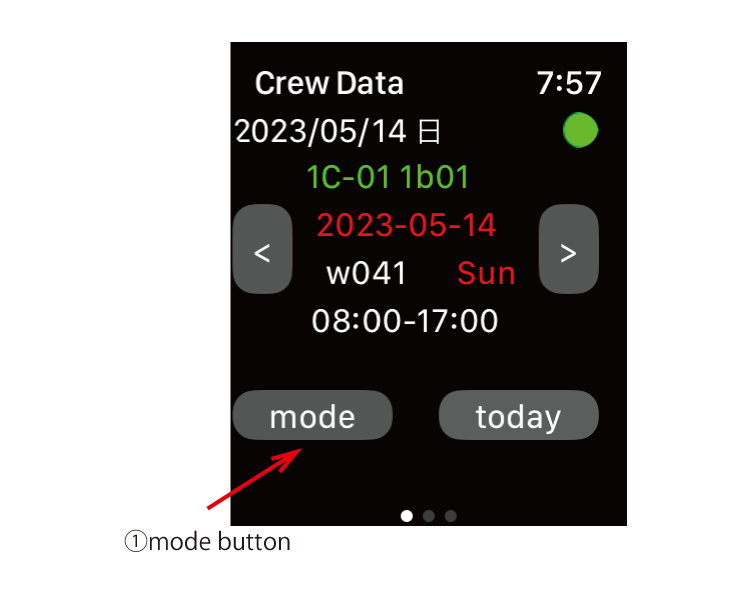
Watch mode 01 ①Press the mode button to switch to "watch" mode and the load button will appear. |
||
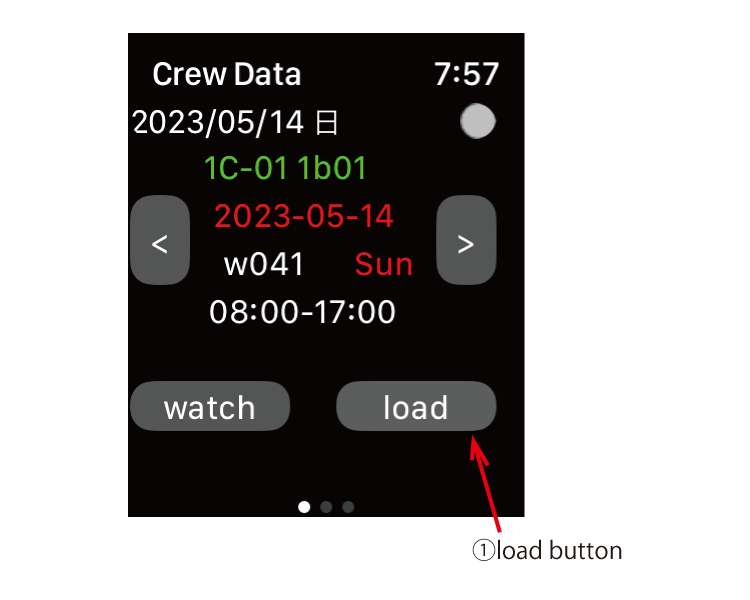
Watch mode 02 ①Press the "load" button. |
||
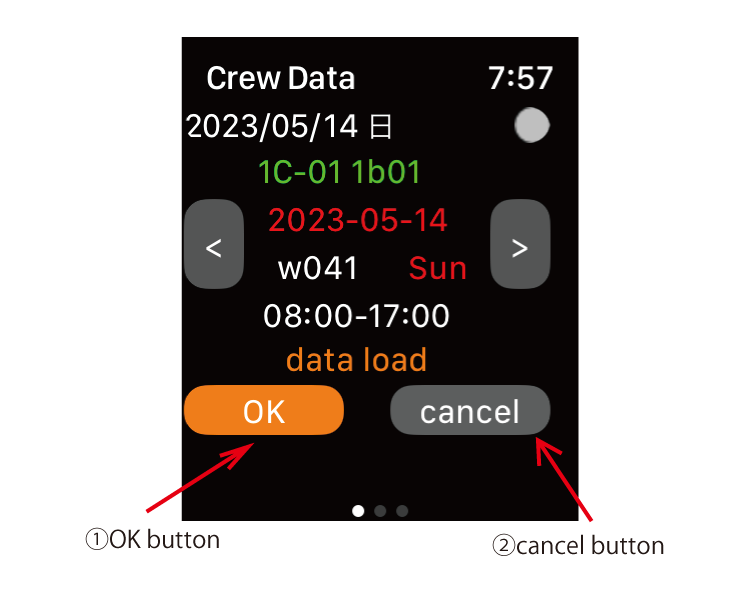
Watch mode 03 ①OK button "data load" is displayed. When you press the OK button, the iPhone will start creating data for 100 days. ②cancel button Press to return to the previous screen. |
||
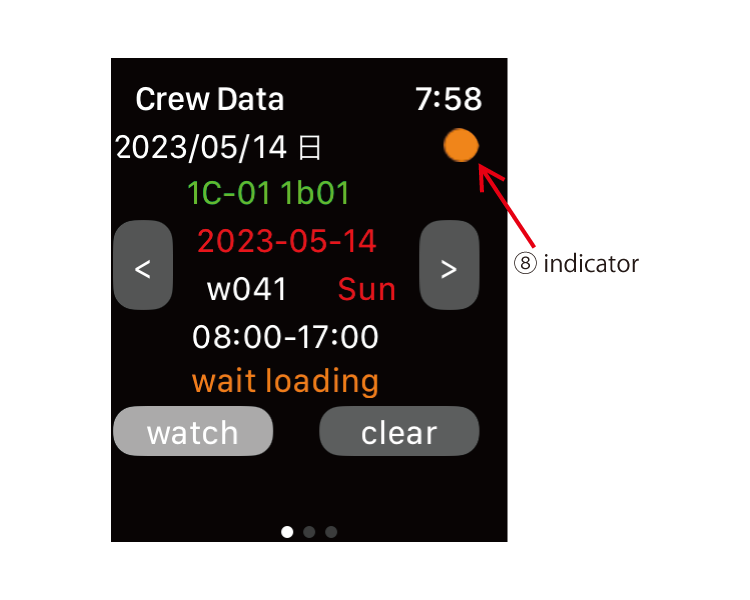
Watch mode 04 ①When "wait loading" is displayed and the indicator turns orange, the iPhone will start creating and transferring data for 100 days. Please wait for about 10 seconds. |
||
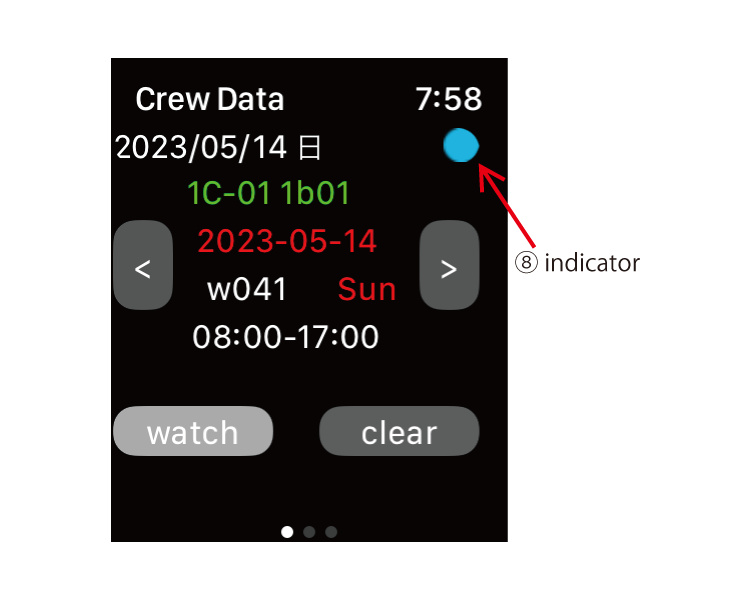
Watch mode 05 Data reception is complete when the indicator turns cyan. If you press the date button, you can see data for 50 days before and after. |
||
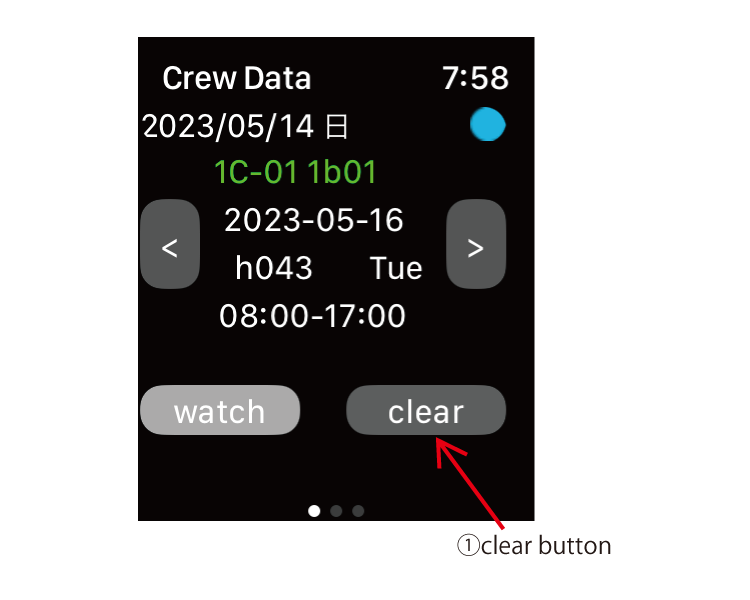
Watch mode 06 ①clear button Press the clear button to return to Sync with the iPhone. |
||
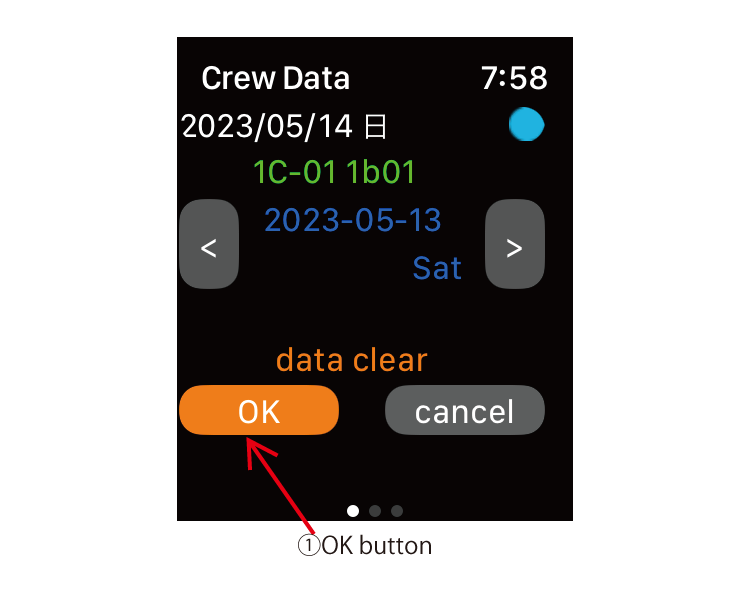
Watch mode 07 ①OK button "data clear" is displayed. Press the OK button. |
||
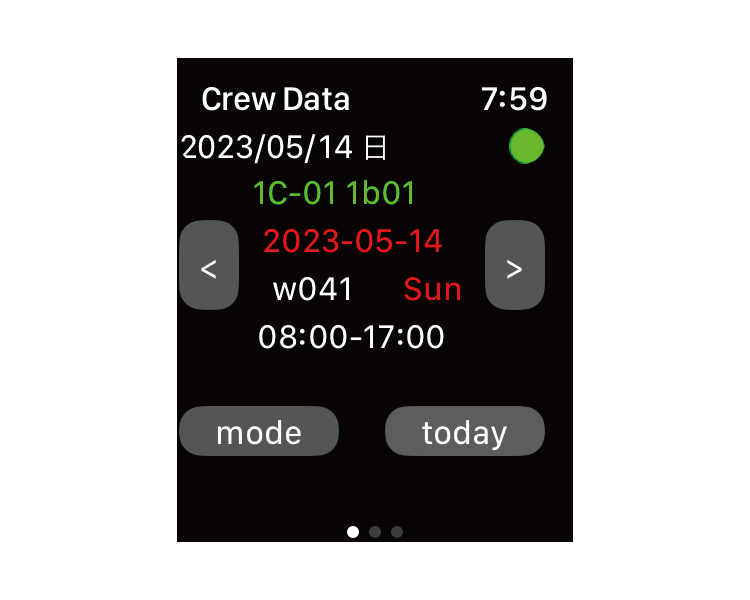
Watch mode 08 It returns to the Sync with the iPhone. |
||
| -------------------------------------------------------------------------- | ||
| Previous | Top page | Next page |
mail to morisita@ic-net.or.jp