
Crew Data EDIT
|
|
| Callender of Business. |
initial folder edit file |
||
| Previous | Top Page | Next page |
| -------------------------------------------------------------------------- | ||
Edit Job Search By editing the 'kyoto-k.csv' and 'osaka-k.csv' files, you can edit the content for searching for members from the lineage. The number that can be searched is 147. area 1 is 'kyoto-k.csv'. Area 2 will be the contents of 'osaka-k.csv'. |
||
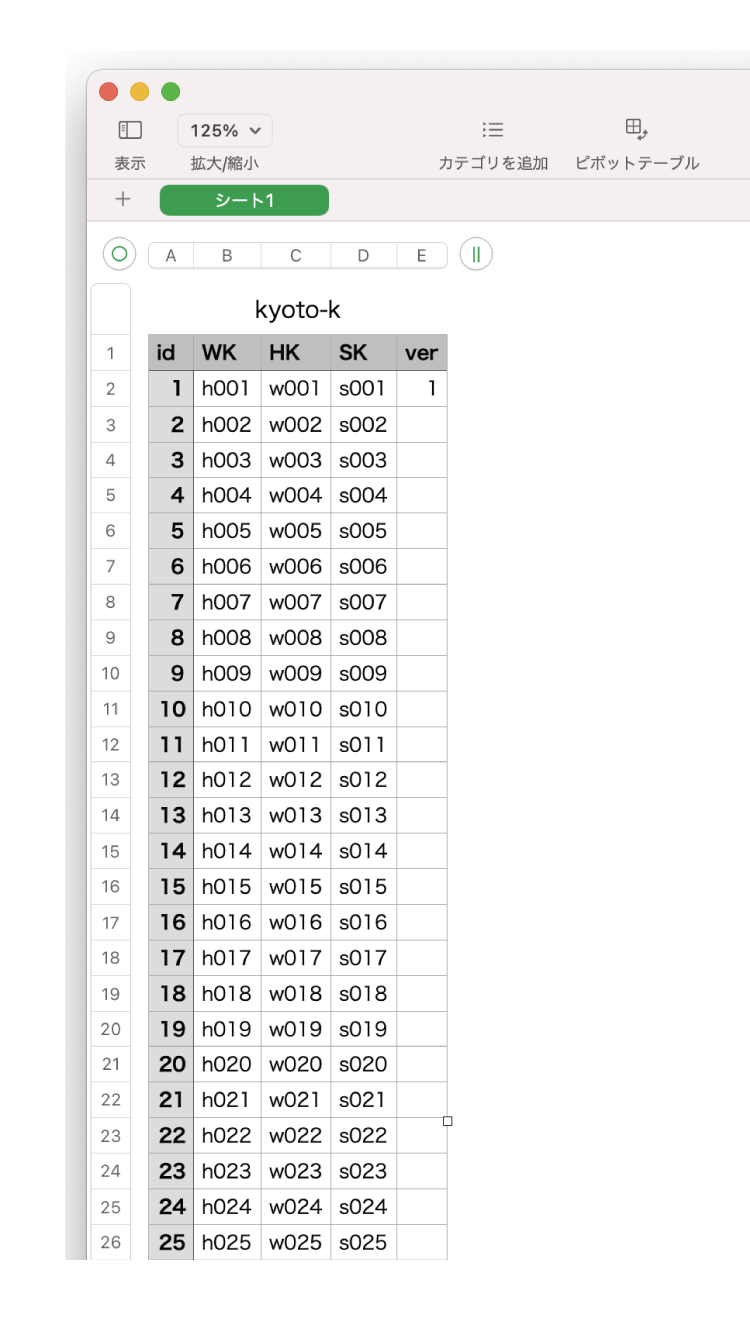
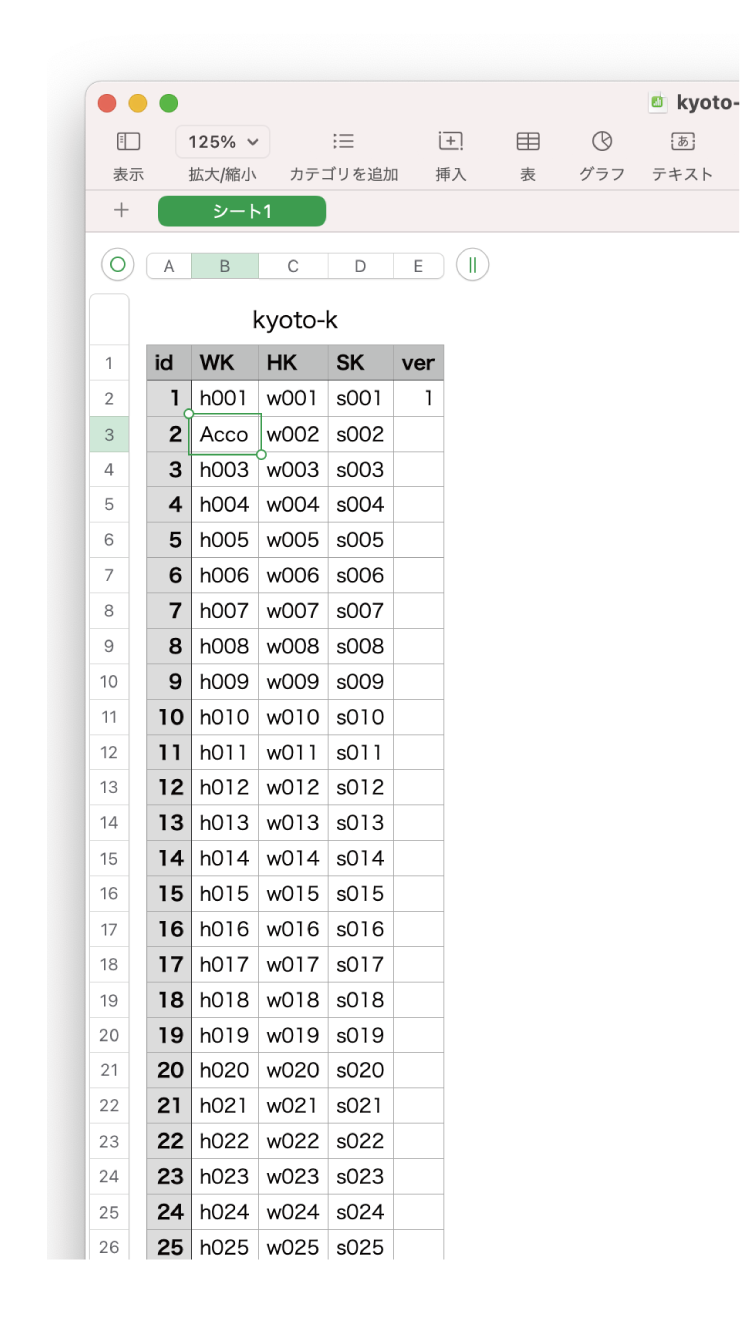
Edit Job Search 01 The 'WK' column is for weekdays, the 'HK' column is for holidays, and the 'SK' column is for special days. 147 lines can be edited. The job search page has 49 squares, so it's a good idea to assign frequently used jobs to the beginning of lines 1-49. Also, you can make the search page easier to see by deleting unnecessary tasks. As a point of caution, if multiple members are doing the same work on the same day, the group with the lowest number and the person with the lowest number of members will be displayed preferentially. |
||
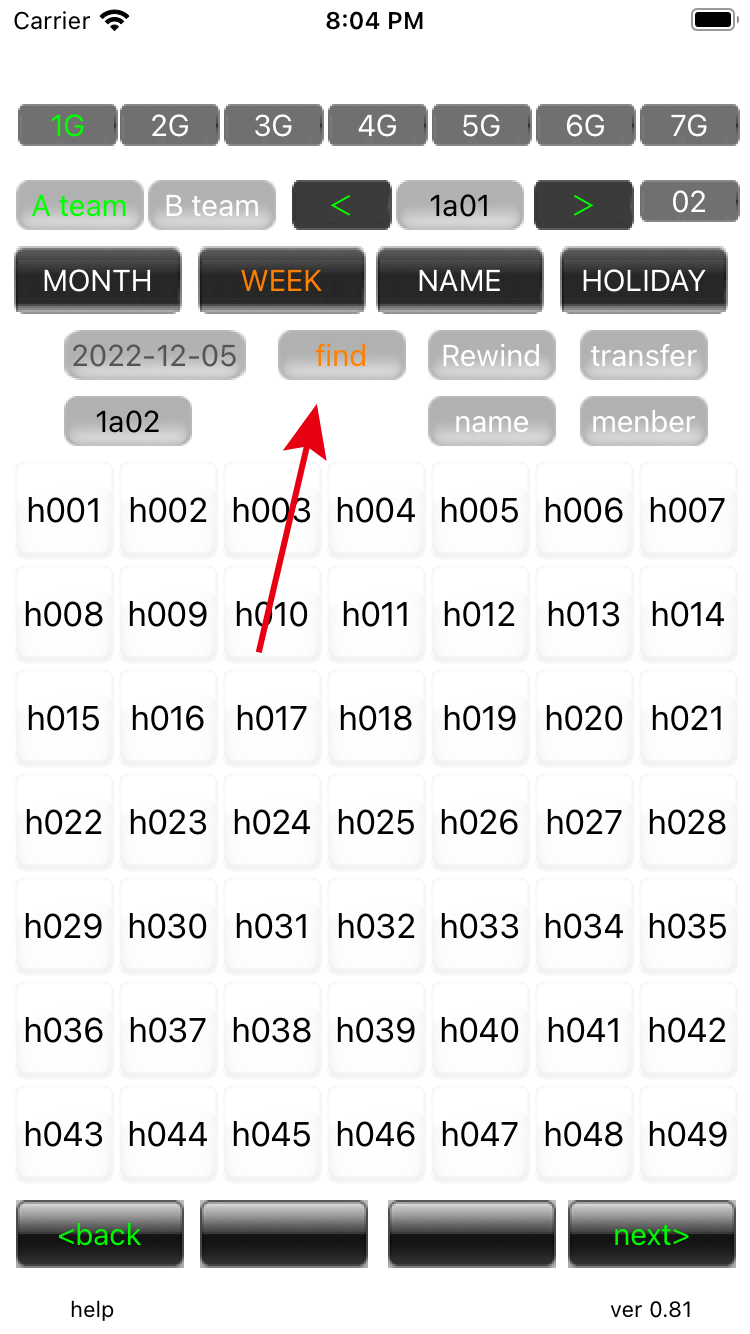
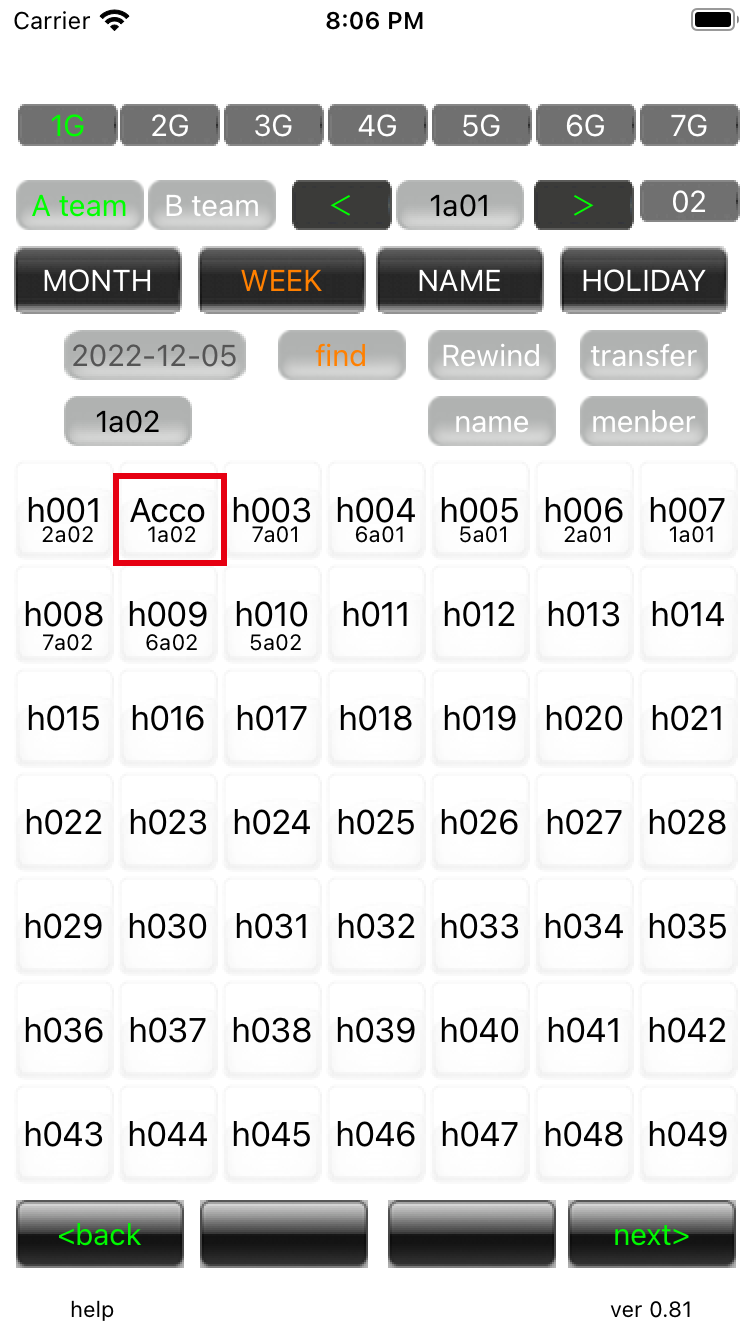
Edit Job Search 02 In 'WEEK' mode, press 'find' to bring up the search screen. Since you are searching for weekdays, 1-49 in the 'WK' column will appear on the search screen. |
||
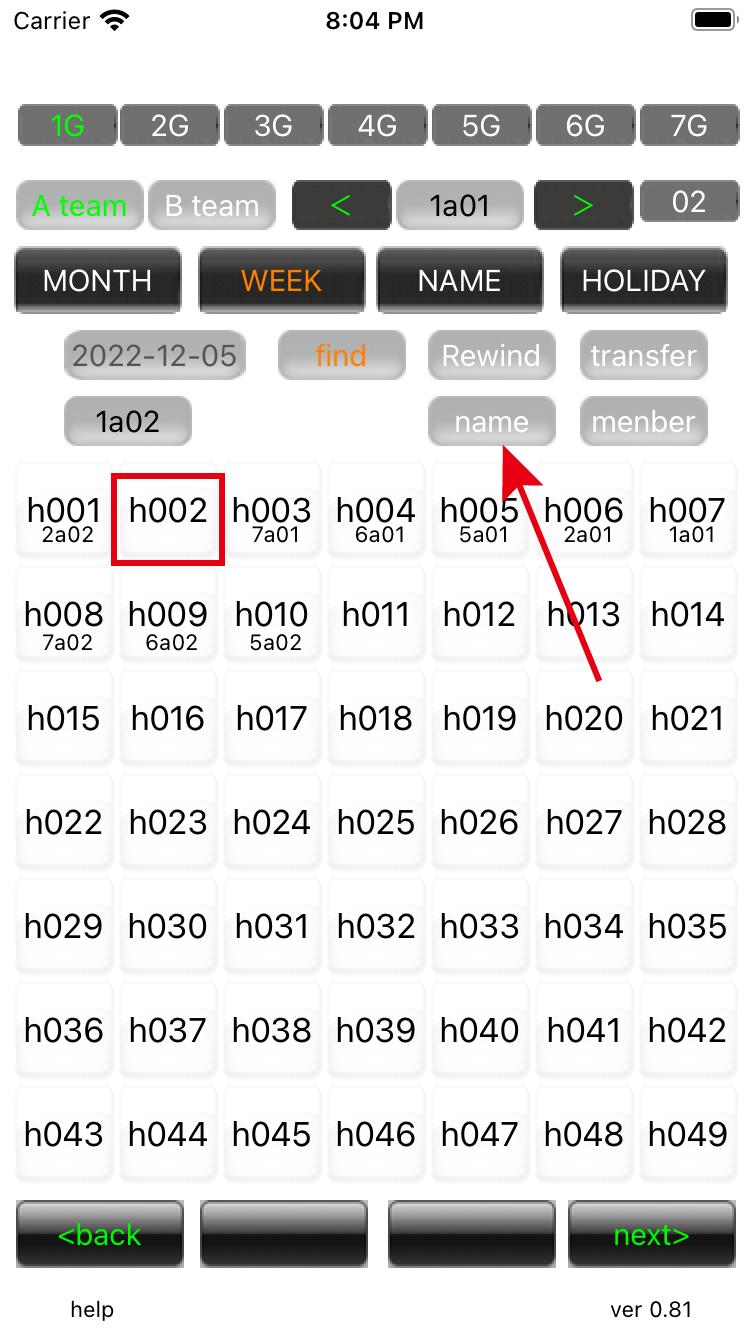
Edit Job Search 03 If you press 'name', the name of the person in charge of each task will be displayed. The reason why 'h002' is blank is that the business name was changed to 'Acco' when editing the business. |
||
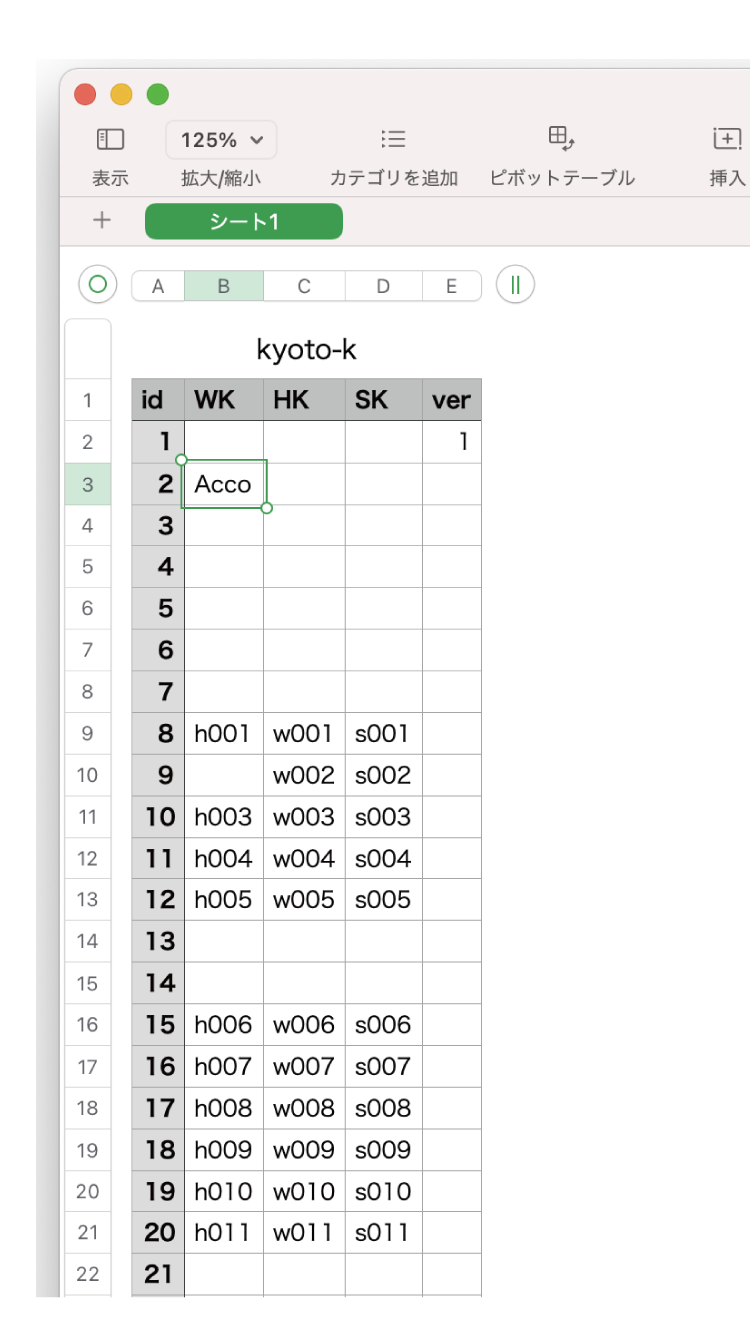
Edit Job Search 04 Change 'h002' to 'Acco', write to a CSV format file, replace it with the one in the initial folder, and restart the Crew data app. |
||
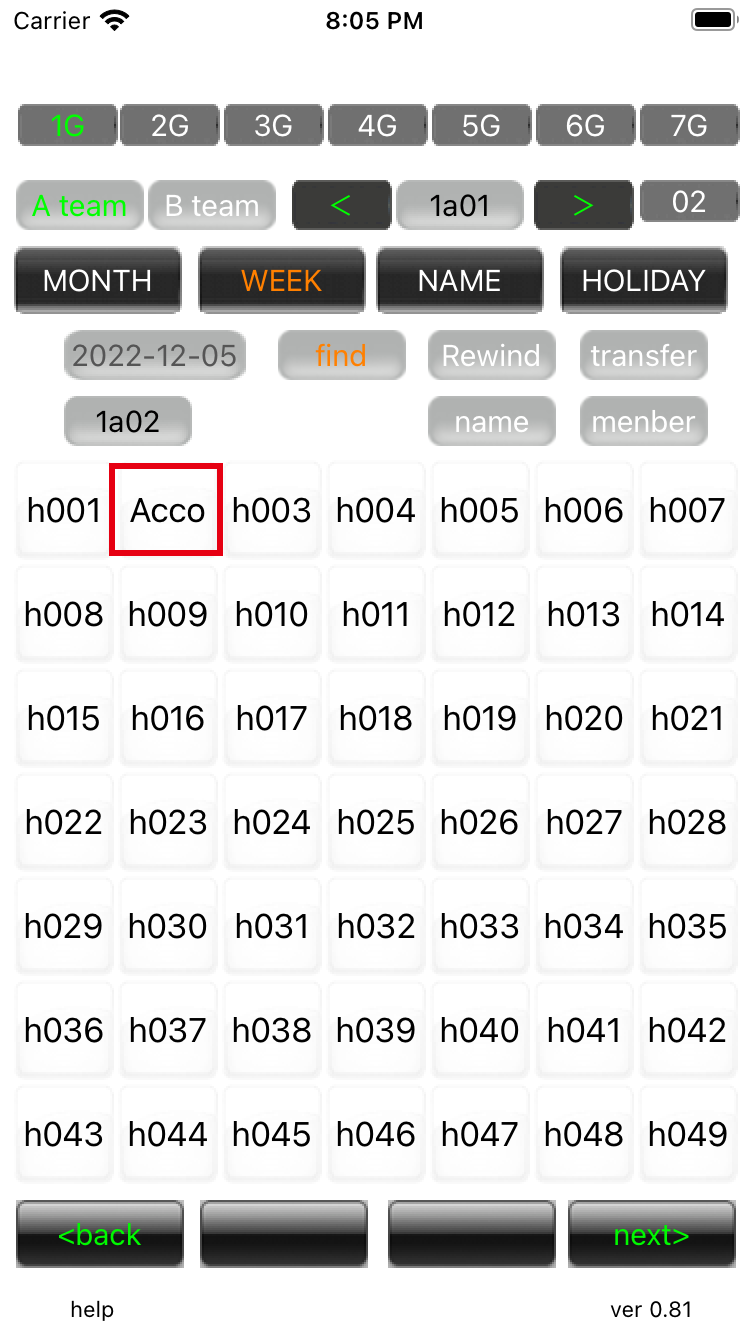
Edit Job Search 05 On the search screen, it has been changed to 'Acco'. |
||
Edit Job Search 07 When the name is displayed, it is the name of the member who is doing the work of the day. |
||
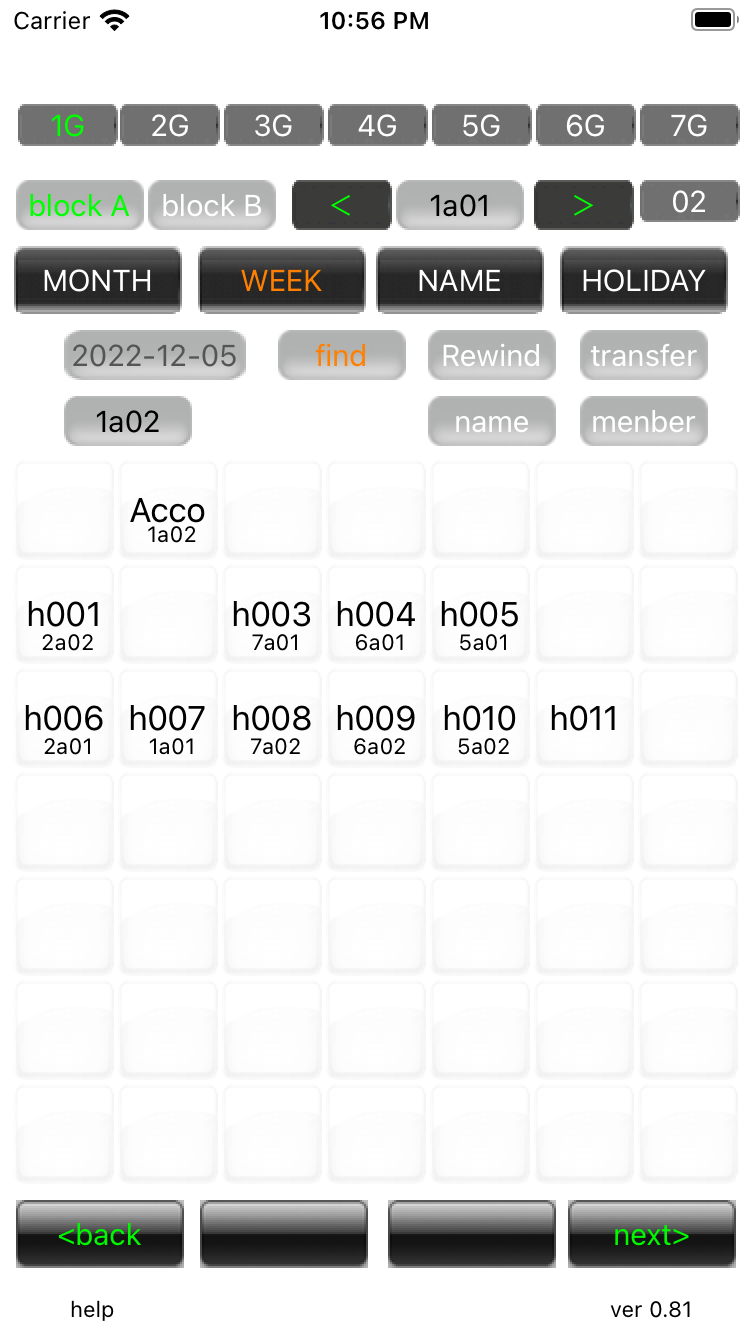
Edit Job Search 08 It is possible to edit, for example, to make it easier to find by replacing high-importance tasks with different lines. It is also possible to make it easier to see by inserting blanks in the cells and blanking the search squares. In addition, since lines 1 to 49 correspond to the first page of the search, it is possible to modify it according to your taste, such as assigning important tasks here. Modify as above and replace the file. |
||
Edit Job Search 09 On the search screen, only the work you need are displayed. There is no member display here as there is no one working for 'h011'. An error does not occur even if a non-existent work is entered. |
||
| -------------------------------------------------------------------------- | ||
| Previous | Top Page | Next page |
mail to morisita@ic-net.or.jp