
Crew Data 1.00
|
|
| Callender of Business. |
| Top page | Next page | |
| -------------------------------------------------------------------------- | ||
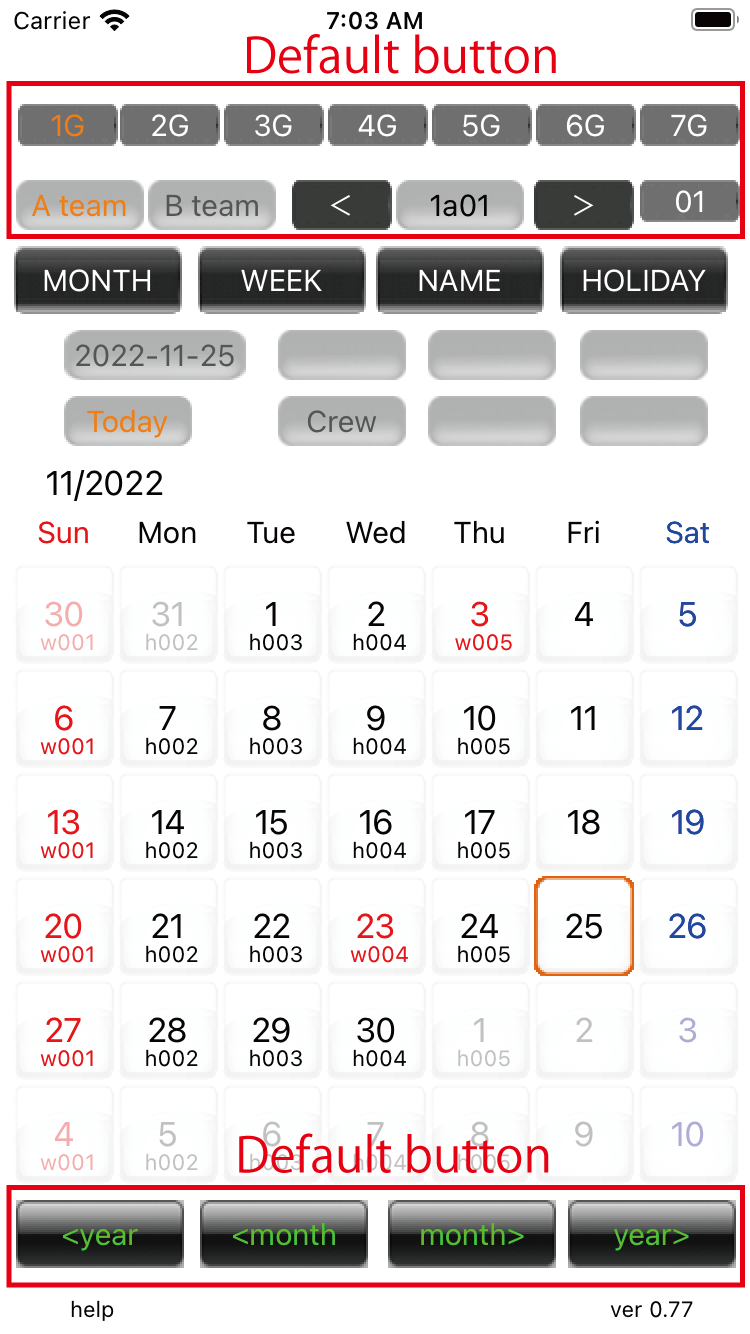
01.Month view This is the application startup screen. 'MONTH' Press the button to display this screen. |
||
01.Default button Selecting each item,view working calendar.[ group(7),A team,B team,member]. You can change the year and month by pressing the button at the bottom.
|
||
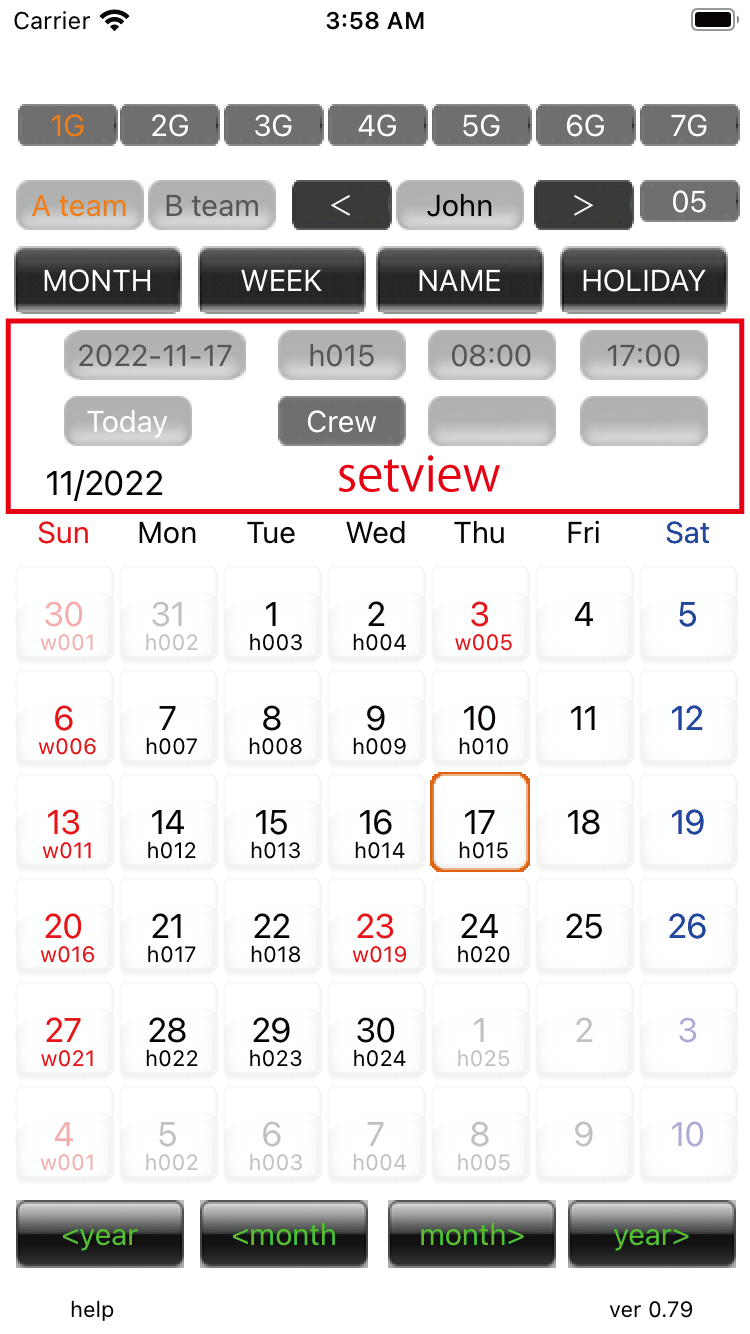
02.Setview When you press the date frame, it turns orange and displays the details of the work in the set view. From the upper left, the selected day,arrival time,return time, today, and crew buttons. The selected day button displays the transfer history. The Today button makes today the selected date.
|
||
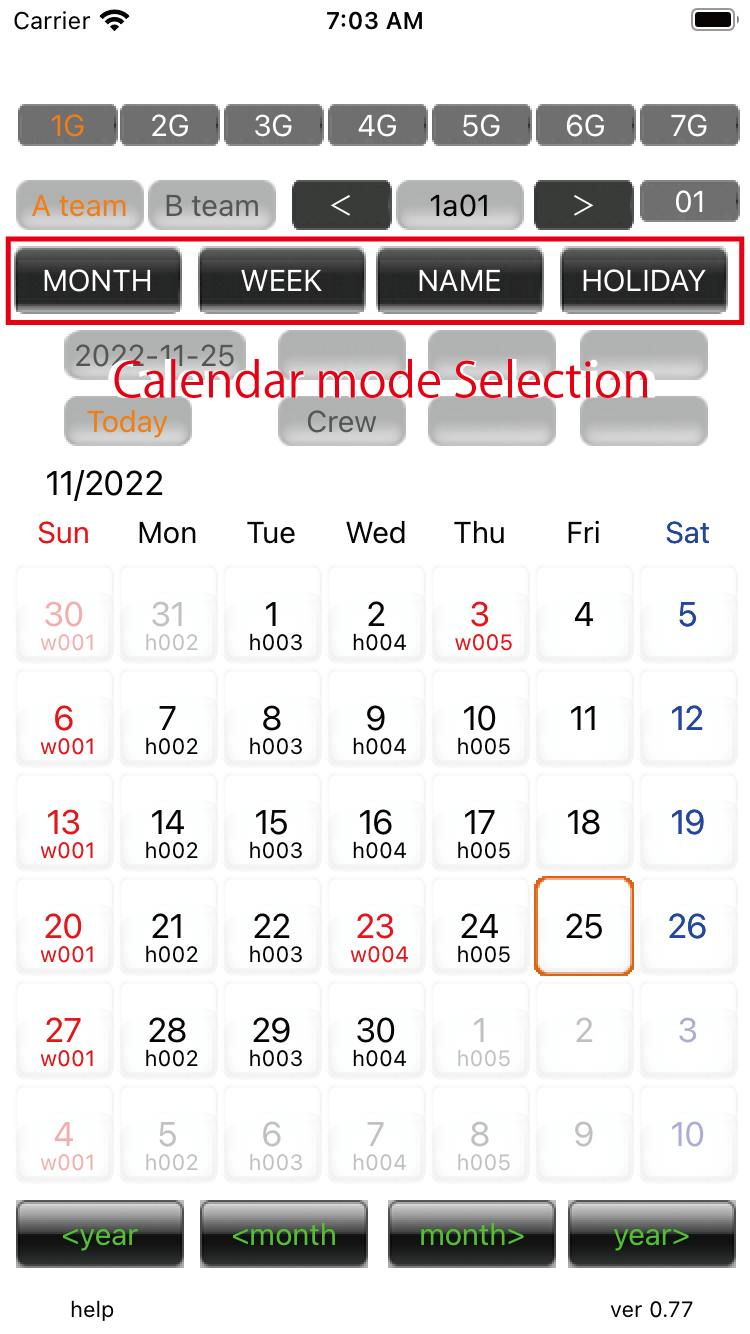
03.Calendar mode Selection buttons for Month, Week, Rename, Holiday Change. Except for monthly view, the selection button glows orange. The WEEK button has a transfer function, a search function, and a rewind function.
|
||
| -------------------------------------------------------------------------- | ||
| Top page | Next page | |
mail to morisita@ic-net.or.jprir