
Crew Data 1.00
|
|
| Callender of Business. |
| Previous | Top page | Next page |
| -------------------------------------------------------------------------- | ||
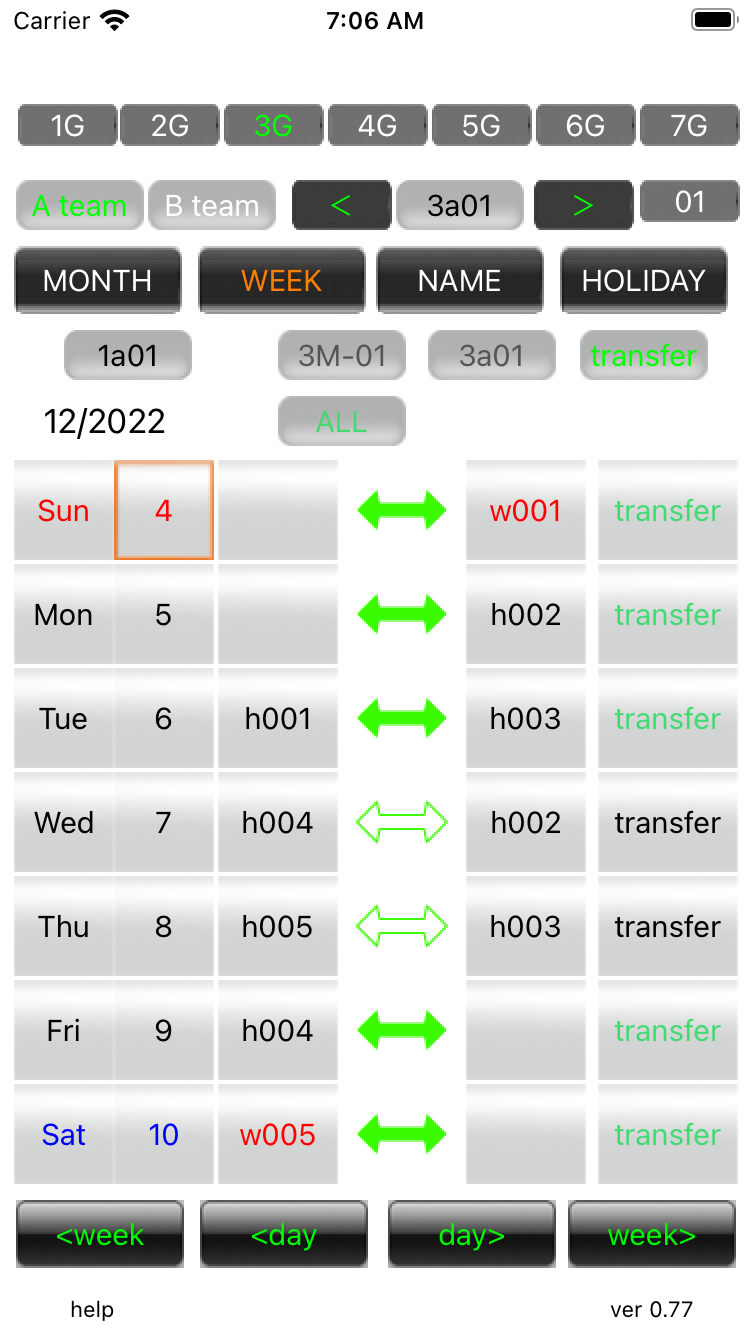
03.Transfer It will be in transfer mode with the 'transfer' button with Week view. |
||
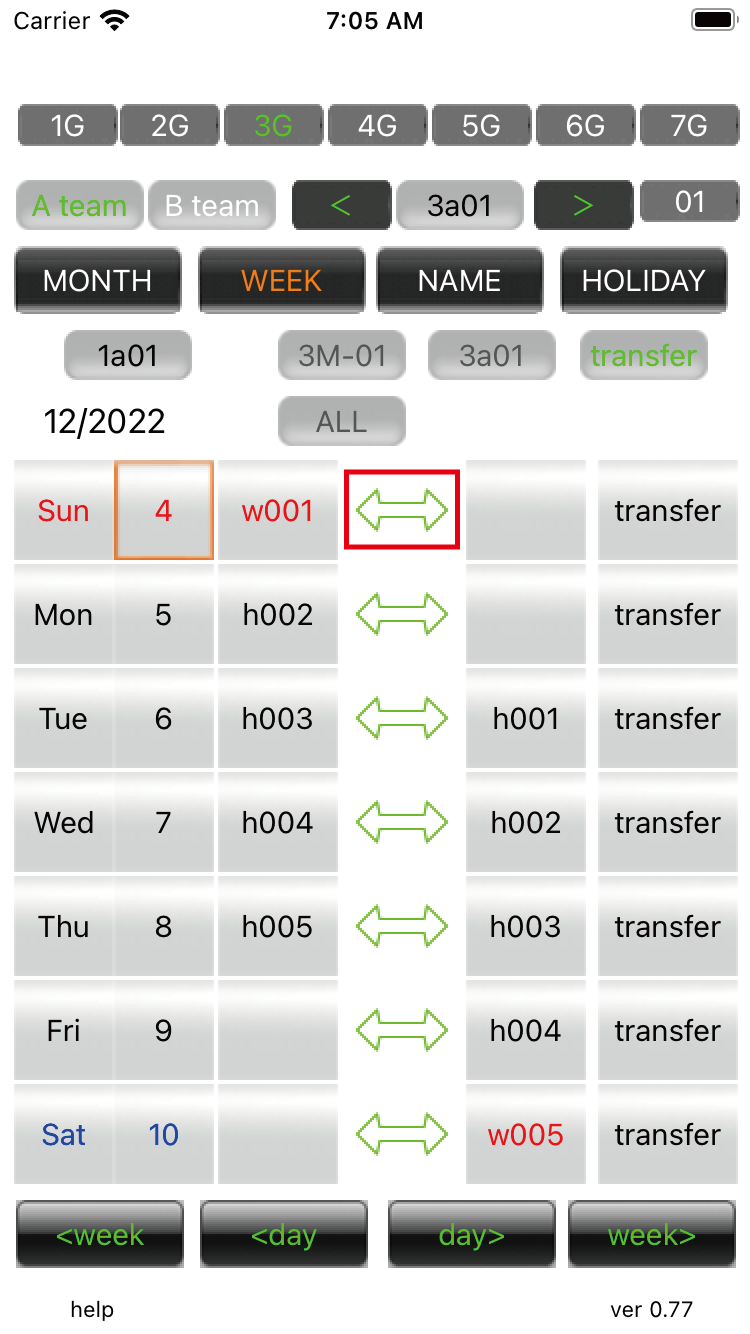
transfer mode 01 Select a group, a member (green), and choose a partner. Press the arrow button to execute the transfer. |
||
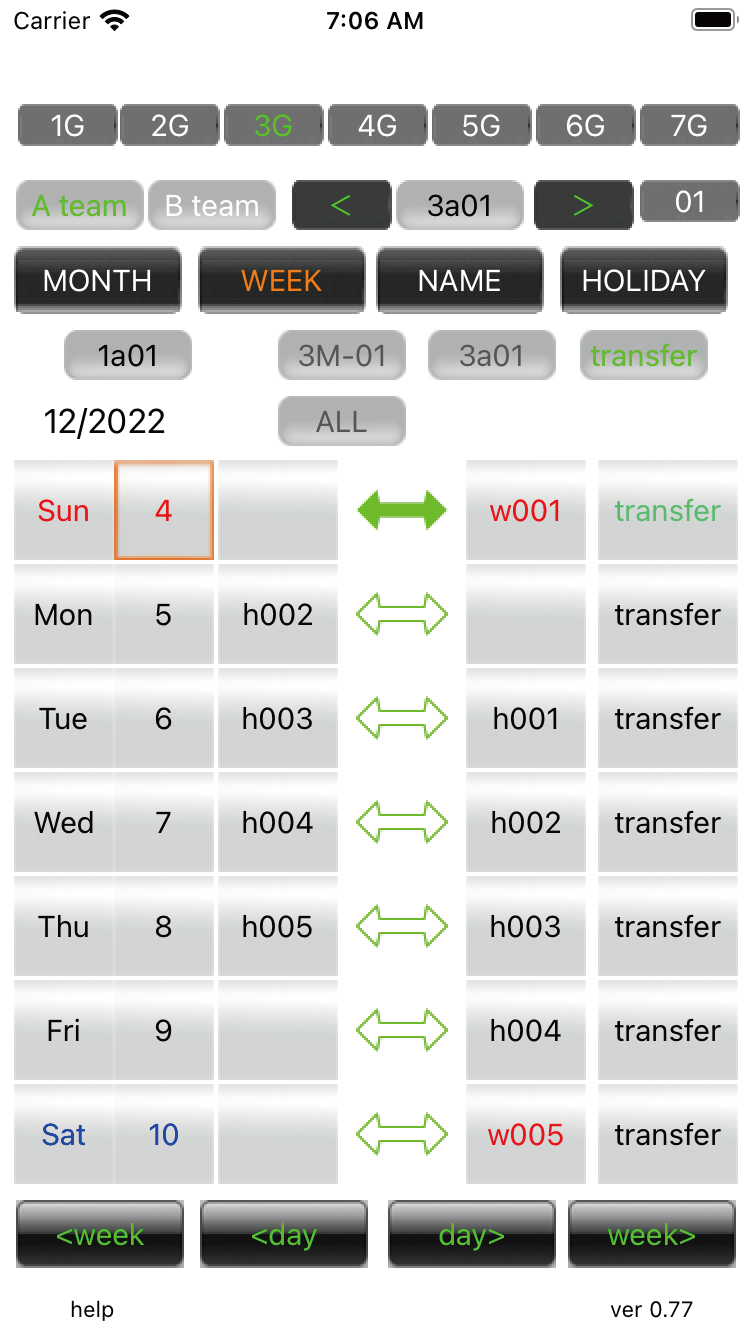
transfer mode 02 When the arrow button turns green, the transfer is complete.
|
||
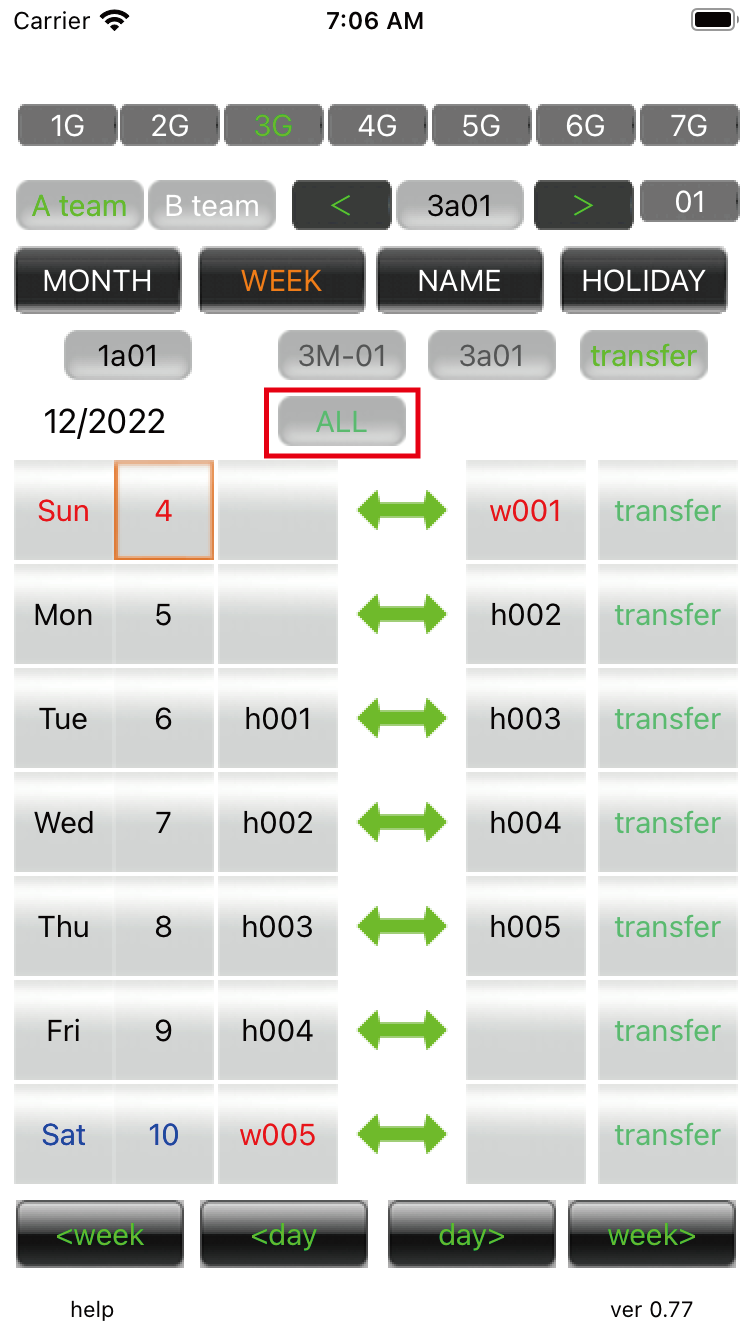
transfer mode 03 If you press the 'ALL' button, you can transfer the entire week.
|
||
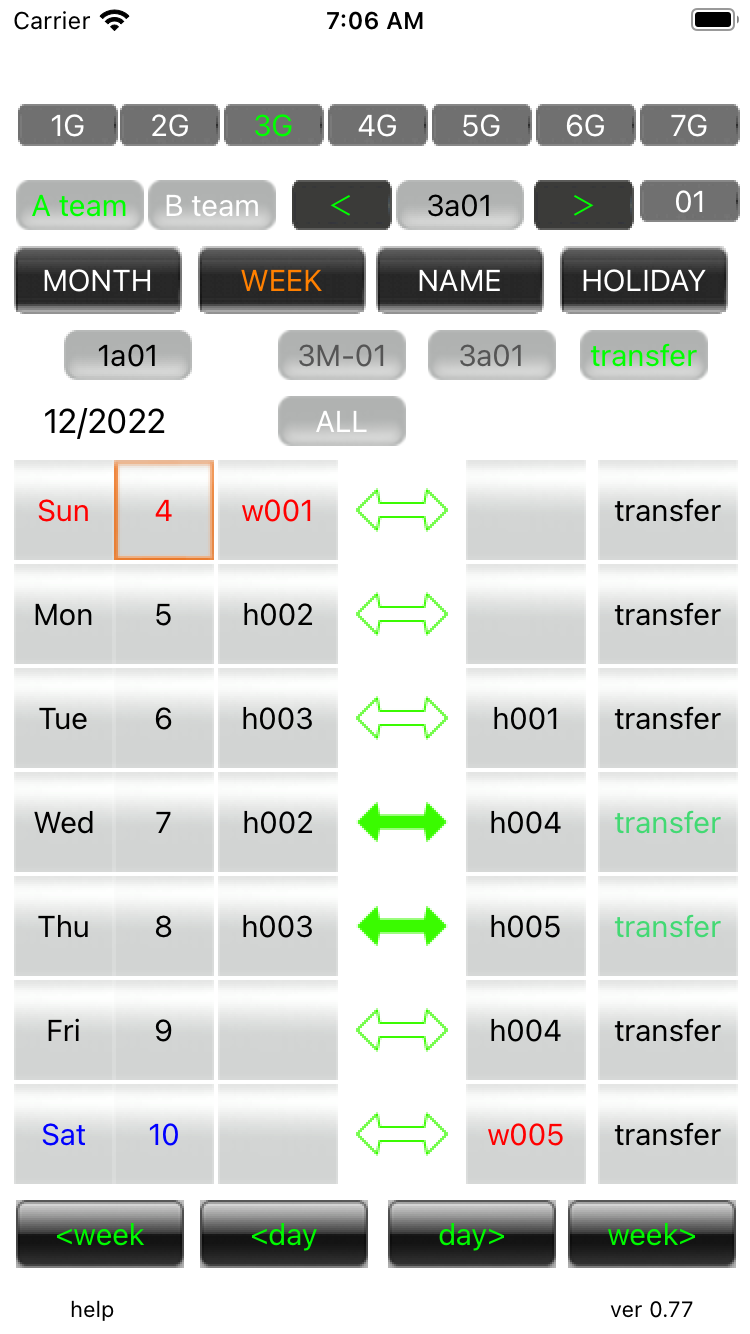
transfer mode 04 Press the 'All' button in the week you are making the transfer. |
||
transfer mode 05 If you press the 'ALL' button, the day you have transferred will return to the original.On the day you return to the original, it means that you have made two transfers systematically.The transfer history will also remain for two times.
|
||
| -------------------------------------------------------------------------- | ||
| Previous | Top page | Next page |
mail to morisita@ic-net.or.jp