
Crew Data 1.00
|
|
| Callender of Business. |
| Previous | Top page | Next page |
| -------------------------------------------------------------------------- | ||
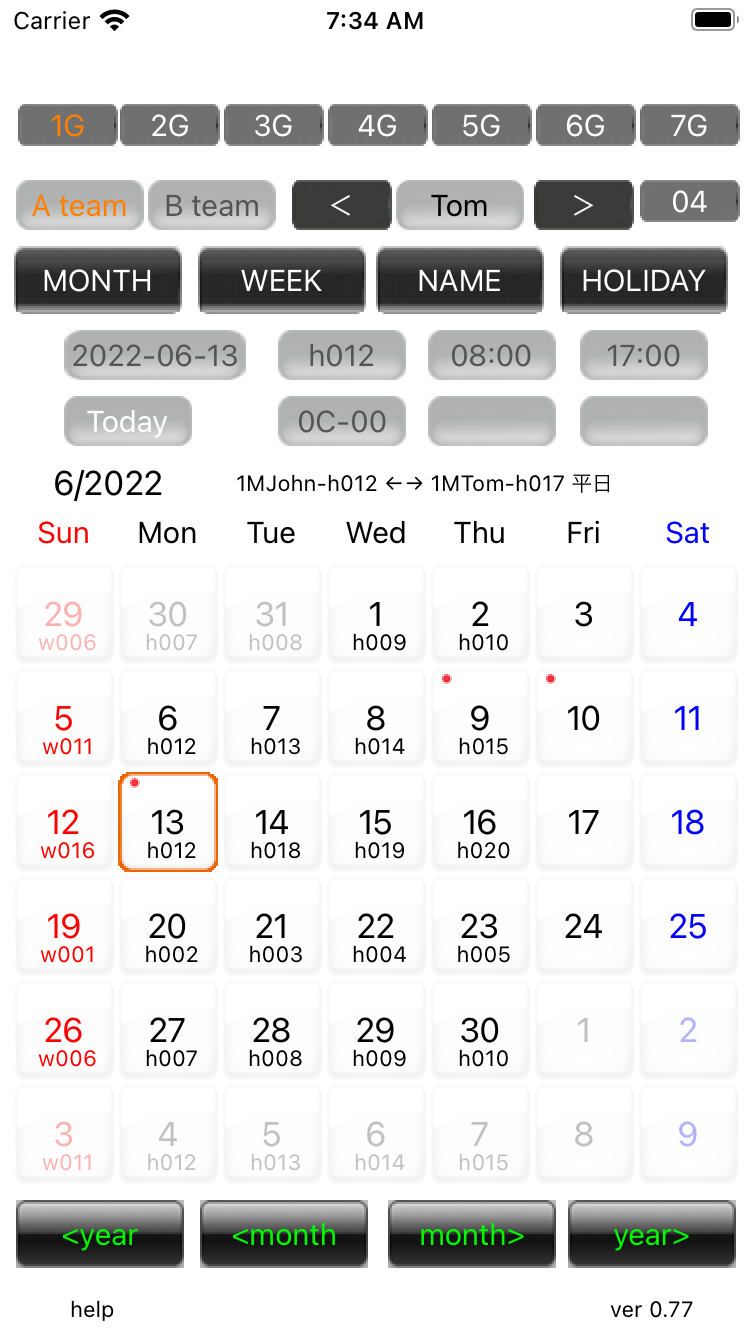
08.Work search Search for the person in charge of work on the selected day. |
||
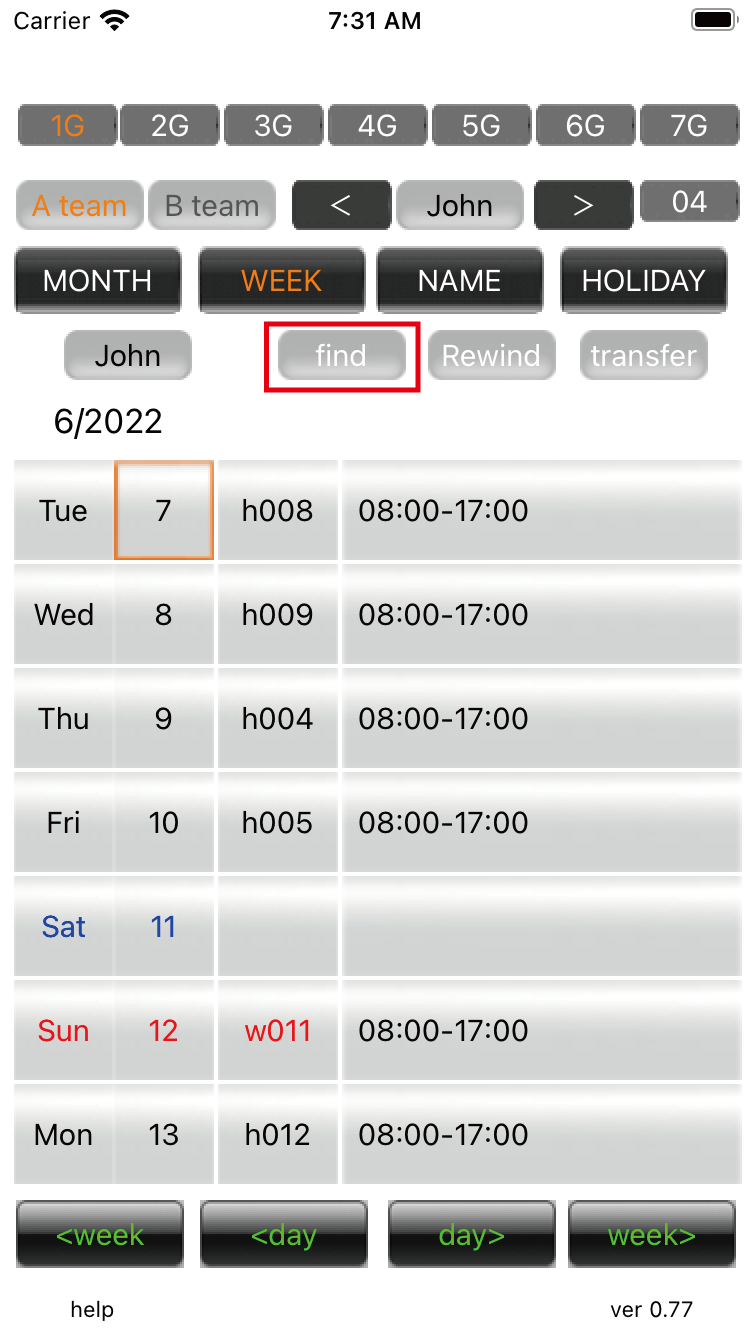
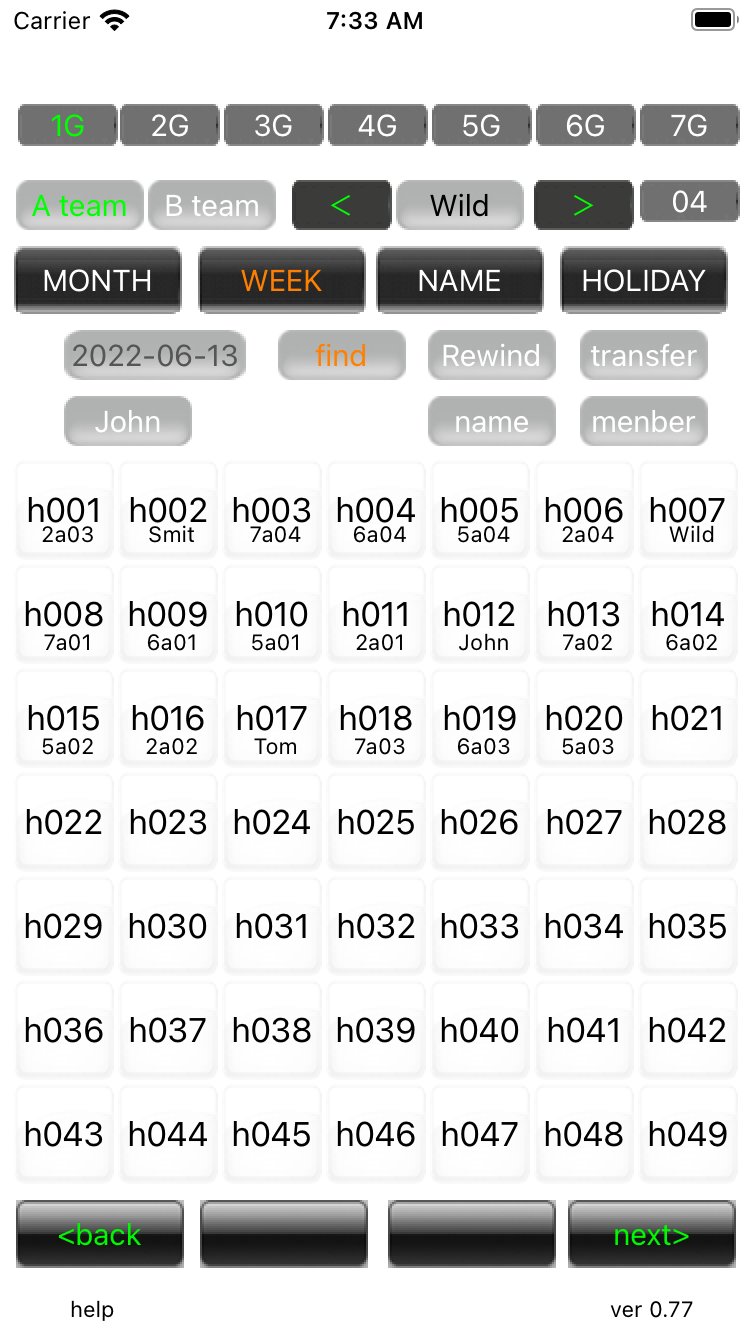
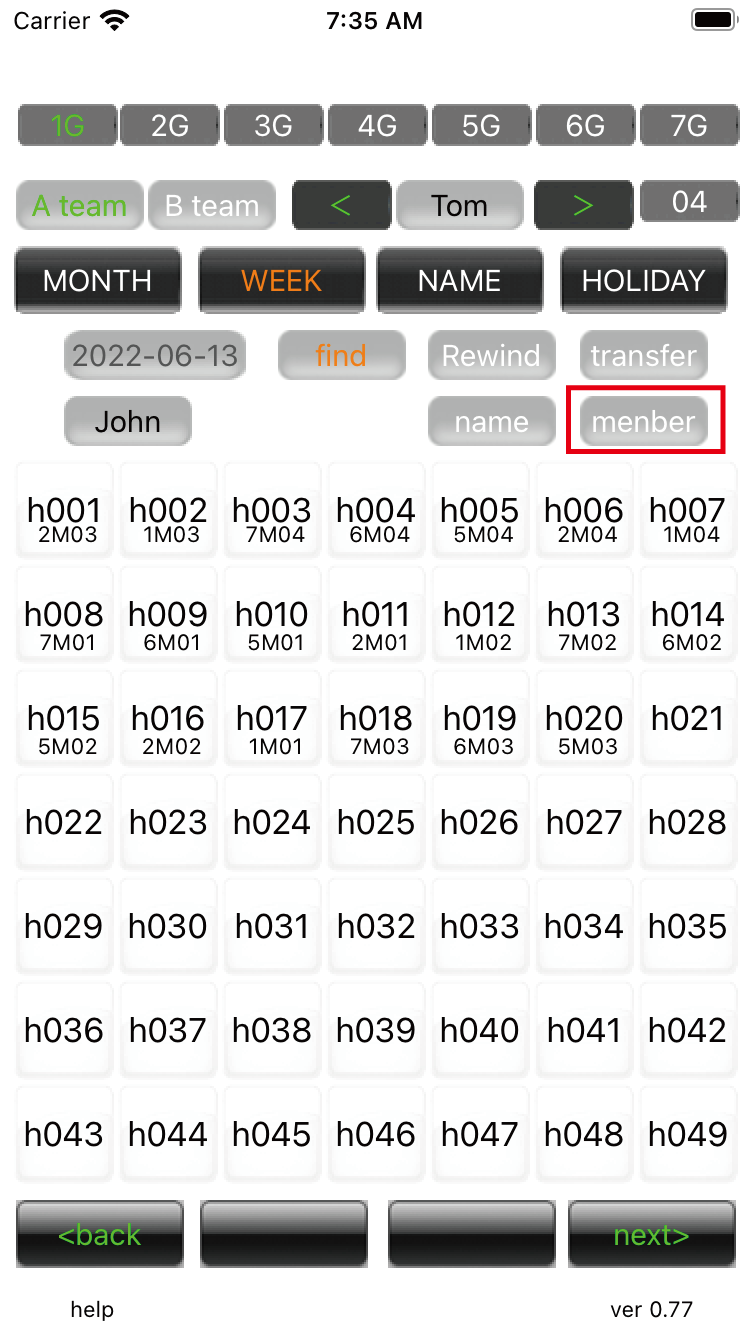
01.Work search There is a search button in the weekly display screen. The date has an orange frame. Do a search for this day. |
||
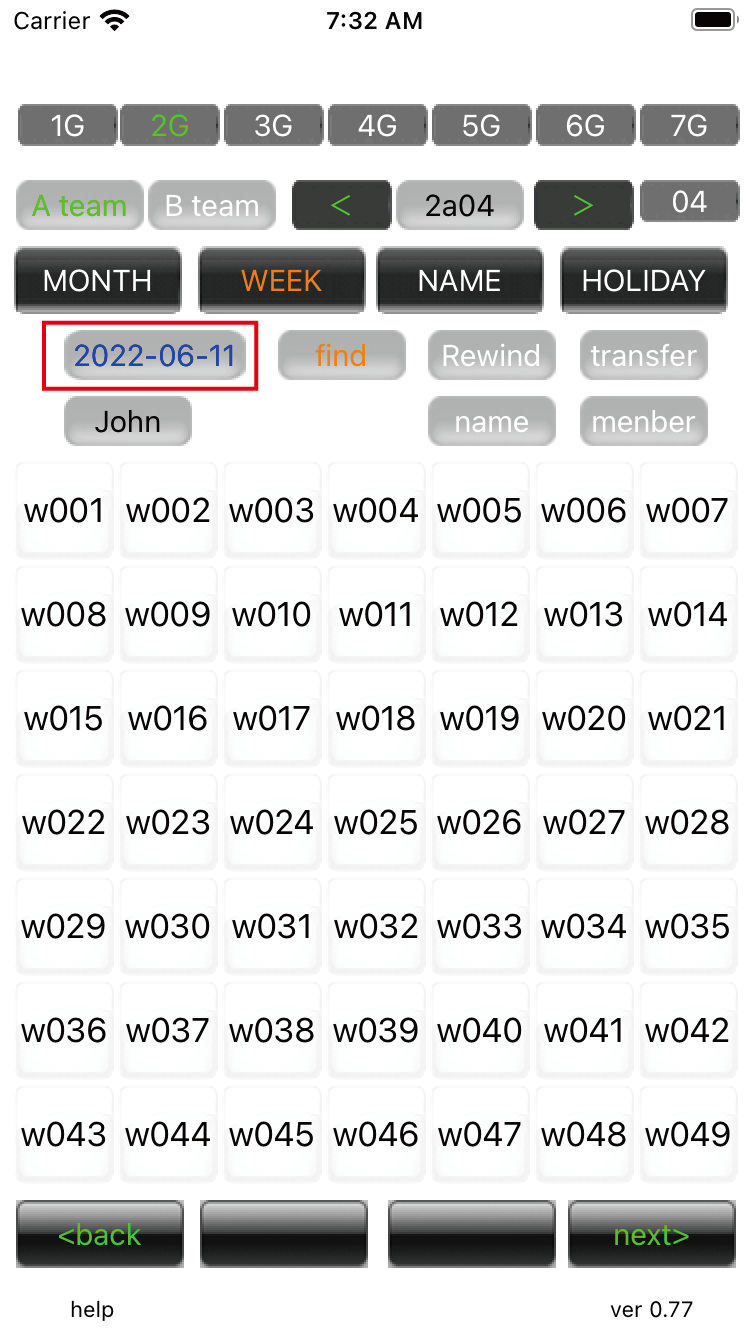
02.Work search The selected date button is blue for Saturdays, red for holidays, and green for special days. Press the'<back' and 'next>' buttons at the bottom to move to another page. |
||
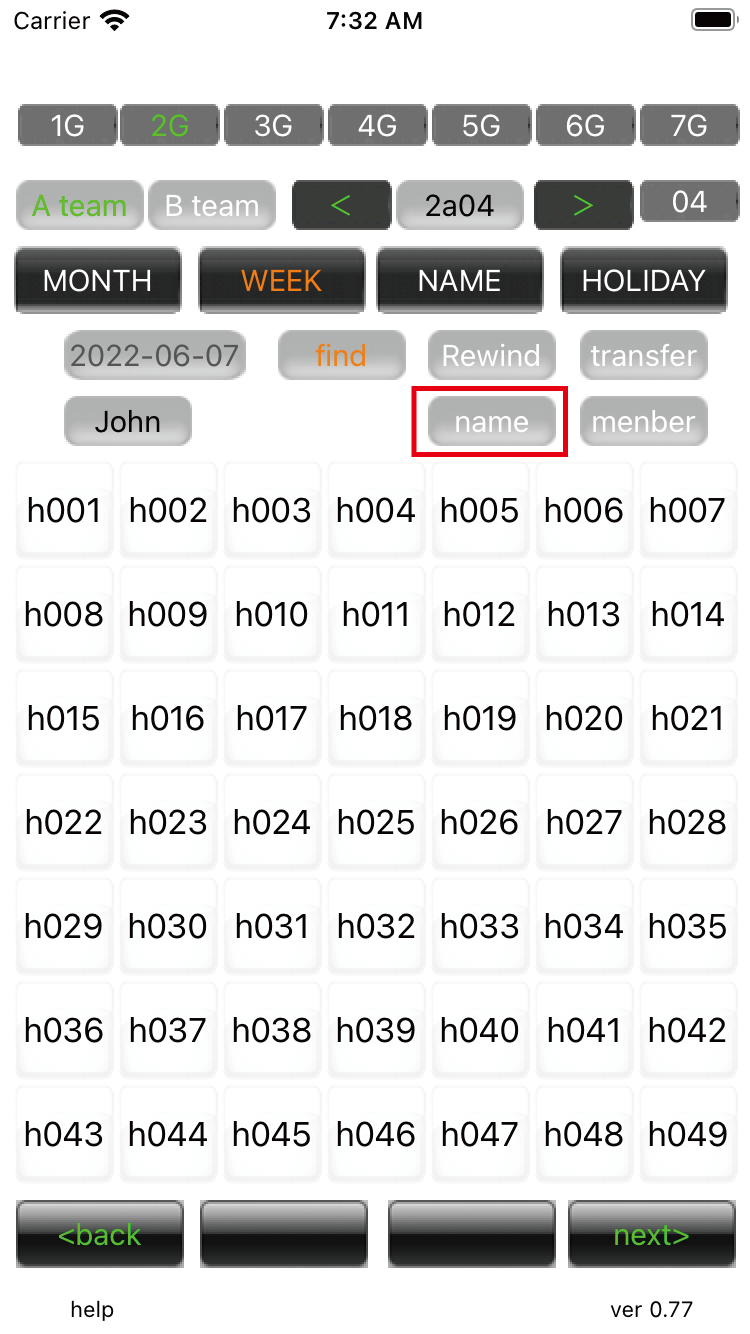
03.Work search Press the 'name' button and after a few seconds the name will appear under the lineage. |
||
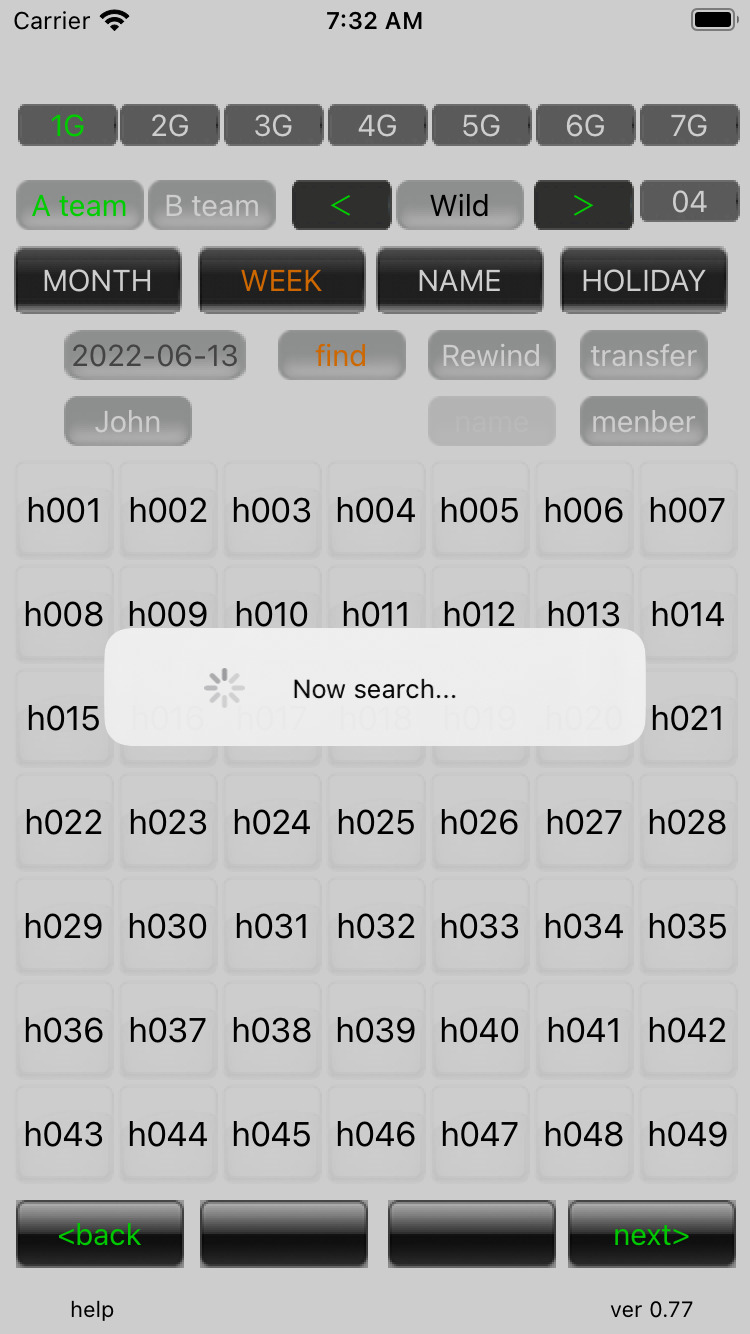
04.Work search Searching screen. |
||
05.Work search The name disappears when you move the page or move to another mode. Please consider it as reference information. |
||
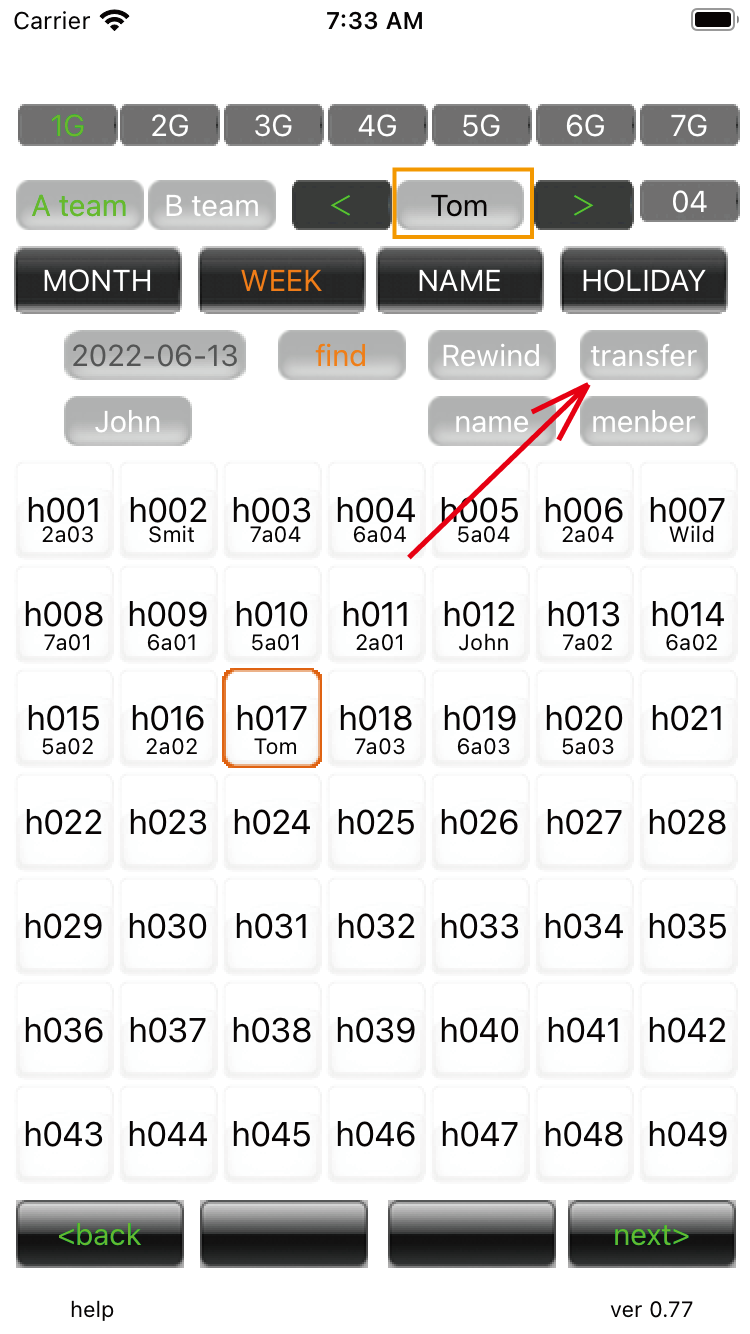
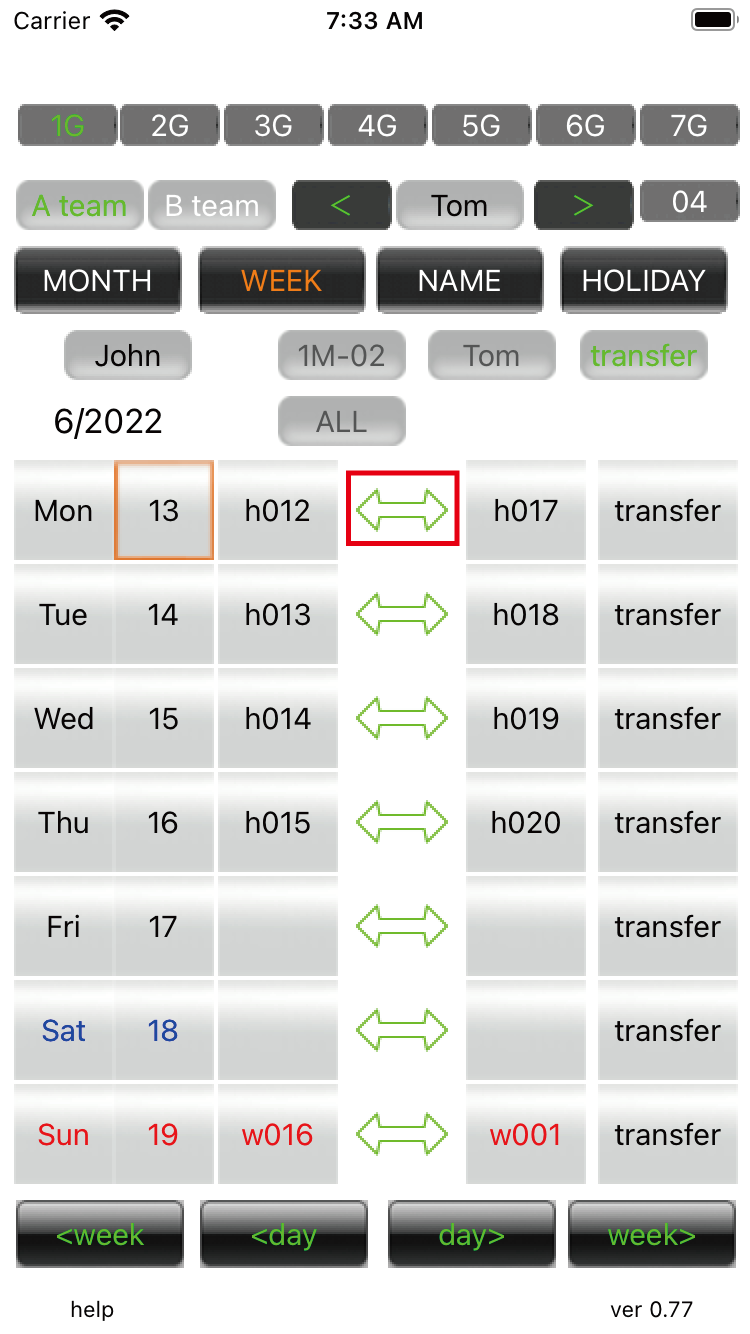
06.Work search When you press the work button, the group and name at the top with the default button becomes its assignee. When you press the transfer button, it will be a screen where you can transfer with the person in charge. |
||
07.Work search You can transfer the selected work in the work search. |
||
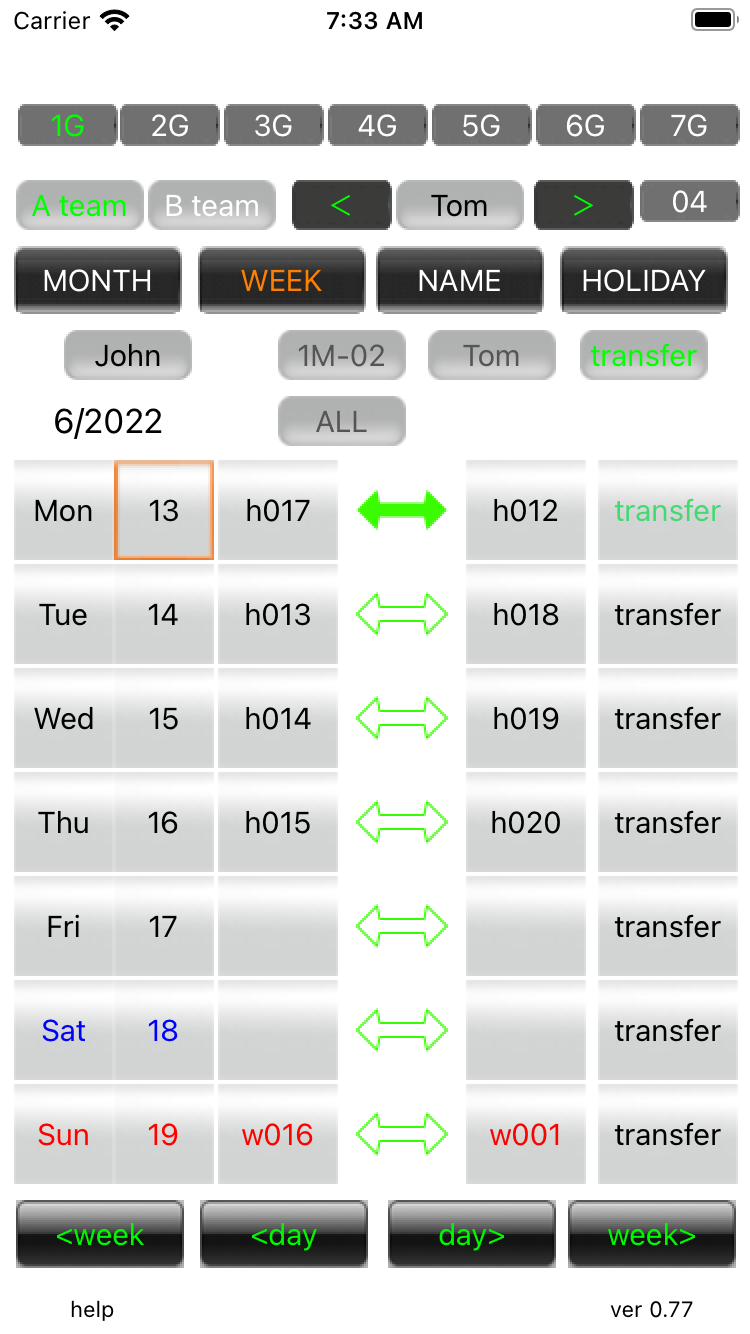
08.Work search Now you can easily transfer. |
||
09.Work search Use this when you do not know the member of the transfer destination. |
||
10.Work search When you press the member button, the member number is displayed instead of the name. |
||
| -------------------------------------------------------------------------- | ||
| Previous | Top page | Next page |
mail to morisita@ic-net.or.jp