
Crew Data EDIT
|
|
| Callender of Business. |
initial folder edit file |
||
| Top Page | Next page | |
| -------------------------------------------------------------------------- | ||
Editing method Crew Data contains configuration files in the initial folder. It is possible to change the business, name, etc. by directly editing it. Editing can be done on an iPhone, but it is more efficient to do it on a PC. This section describes the operation on a PC. |
||
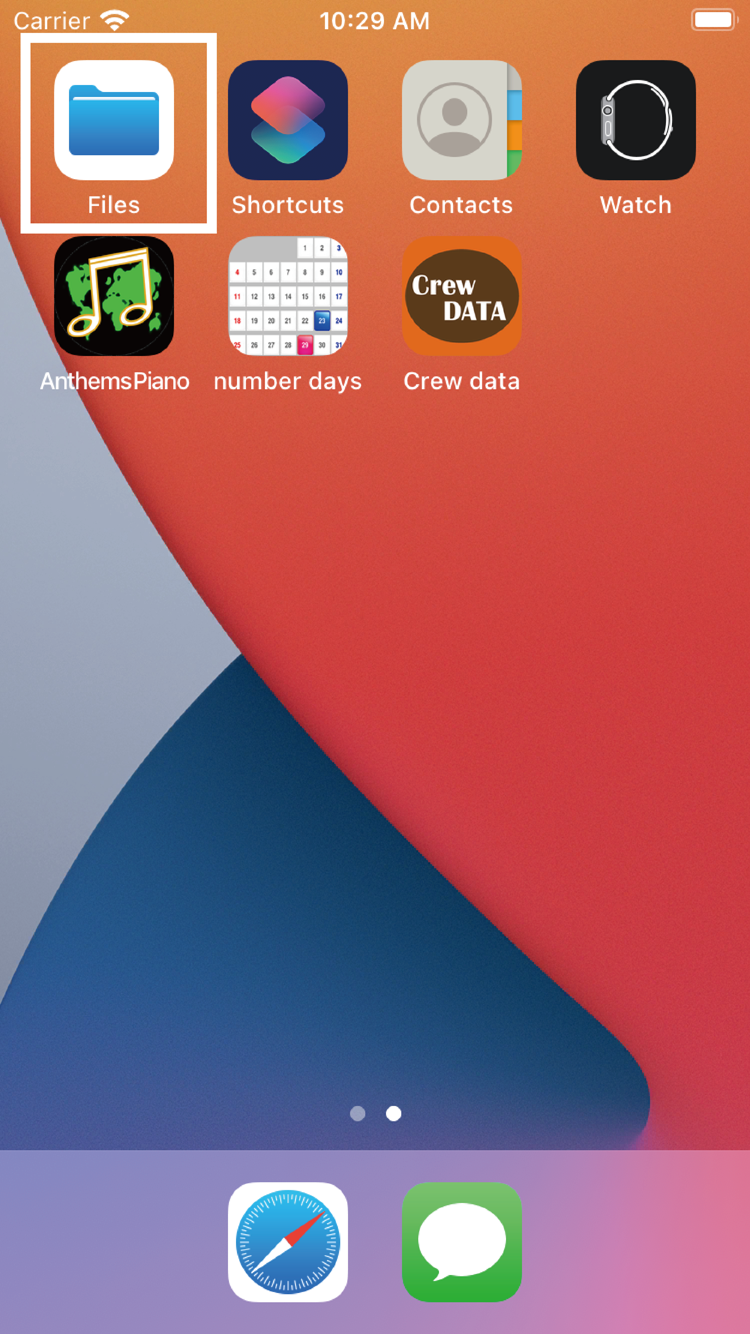
Editing method 01 Launch the 'Files' app. |
||
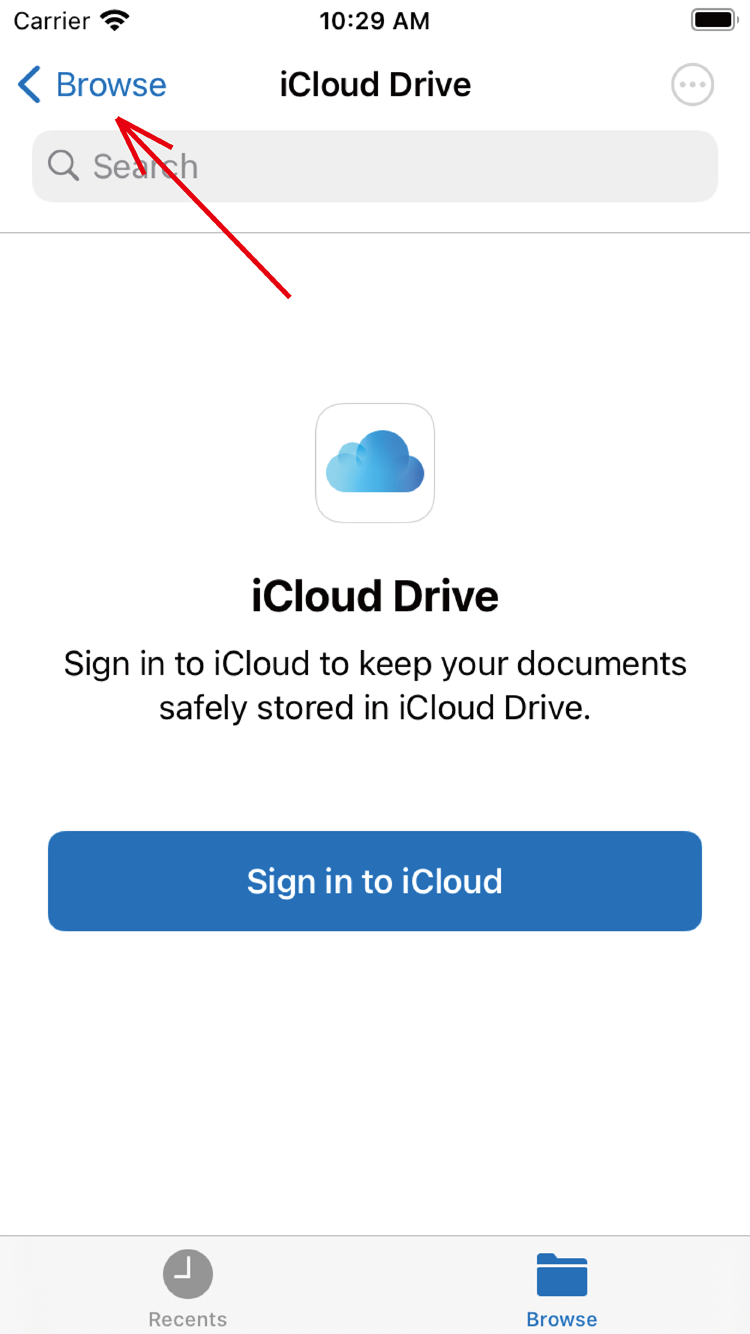
Editing method 02 If the 'iCloud Drive' screen appears, touch 'Browse'. If you used 'Browse' from the beginning, this step is unnecessary. |
||
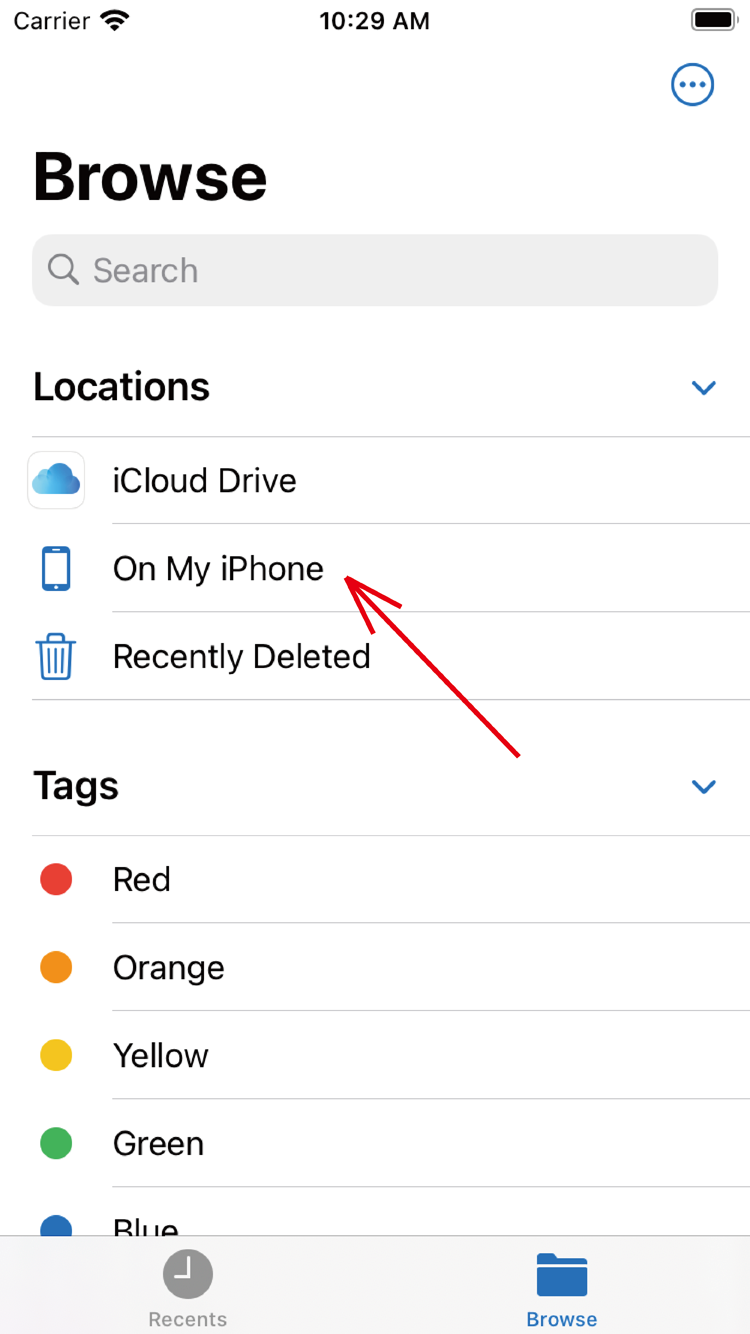
Editing method 03 Touch this 'On My iPhone'. |
||
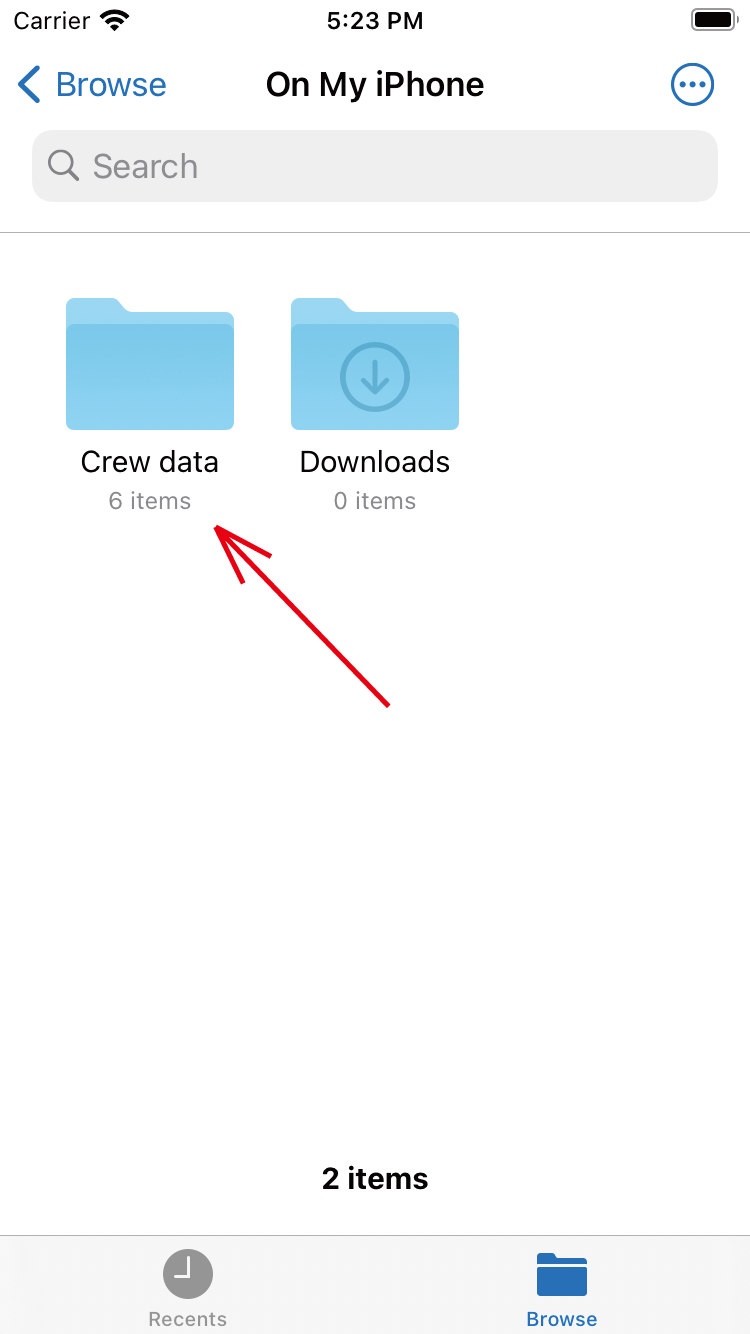
Editing method 04 Touch 'Crew data'. |
||
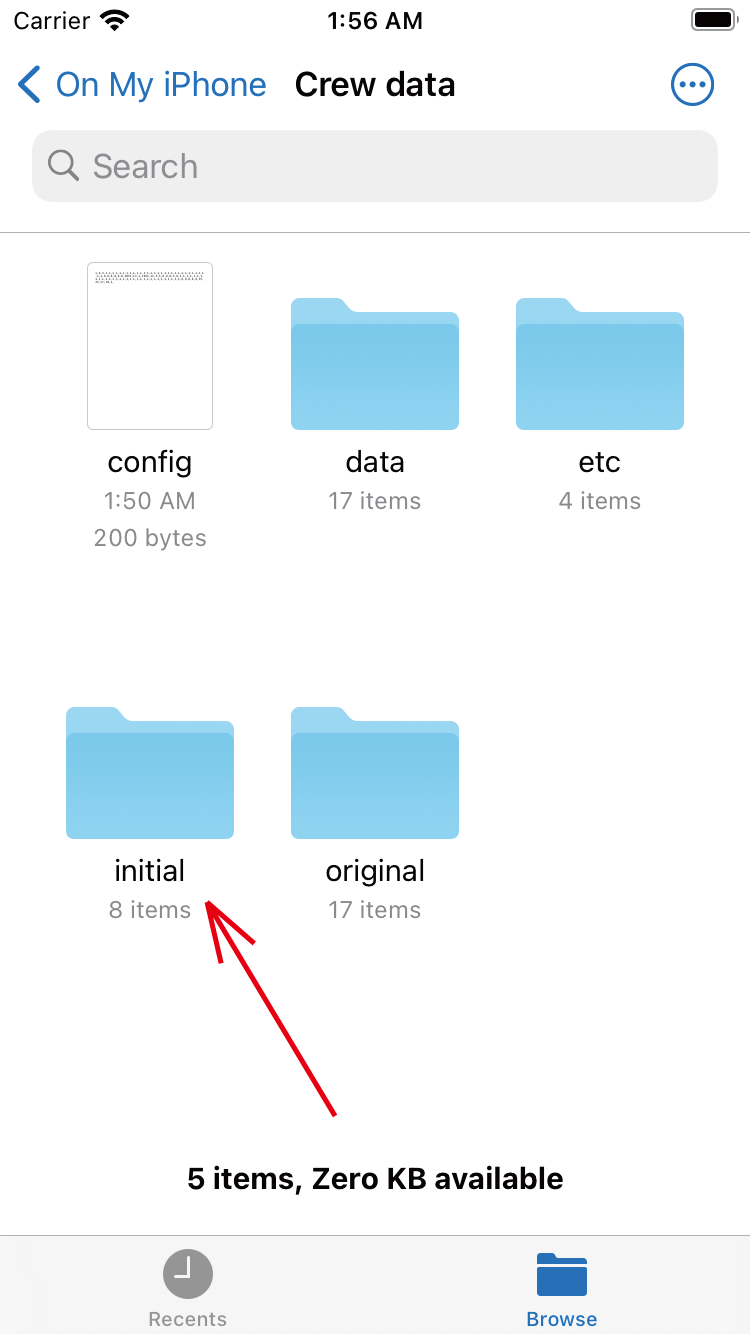
Editing method 05 Touch the 'initial' folder. |
||
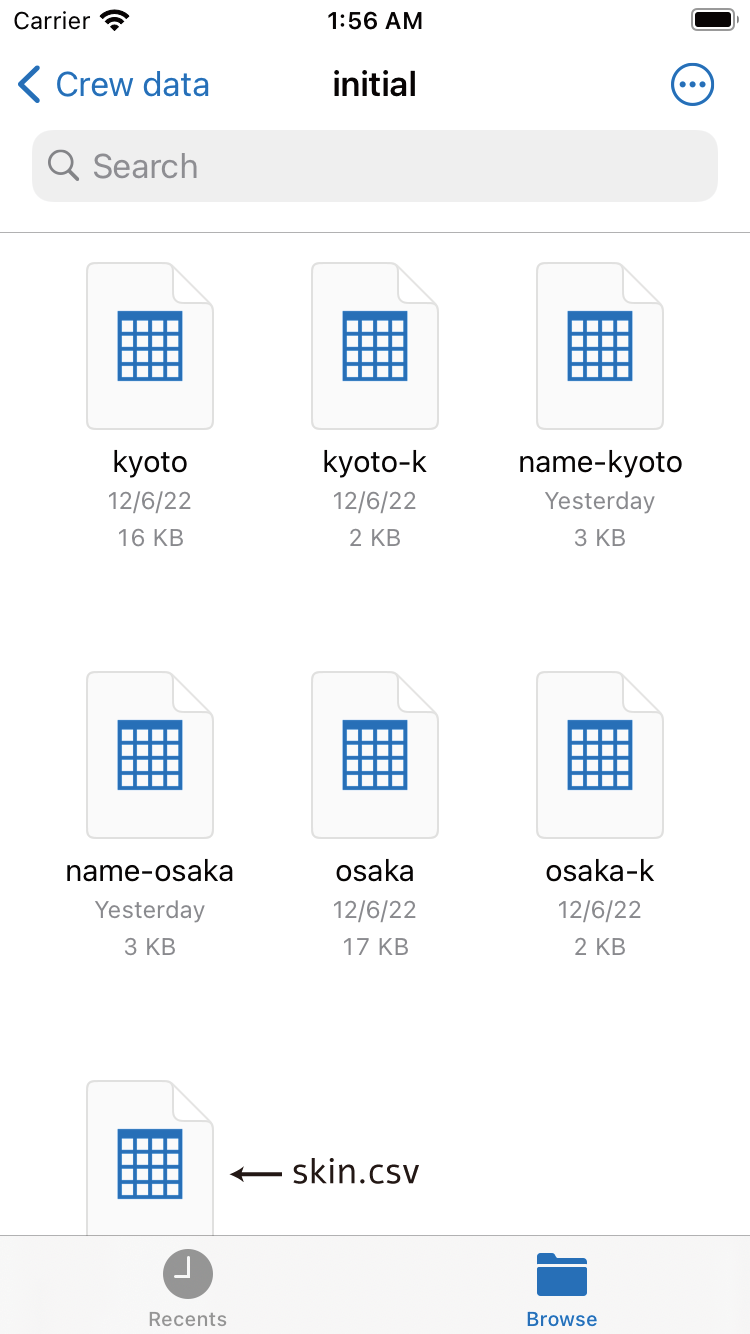
Editing method 07 The initial folder contains 7 files. Send the file to your PC and edit it. If you press and hold the file, the sharing menu will appear, so please send it to your PC by email or other means. |
||
Editing each file |
||
| -------------------------------------------------------------------------- | ||
| Top Page | Next page | |
mail to morisita@ic-net.or.jp